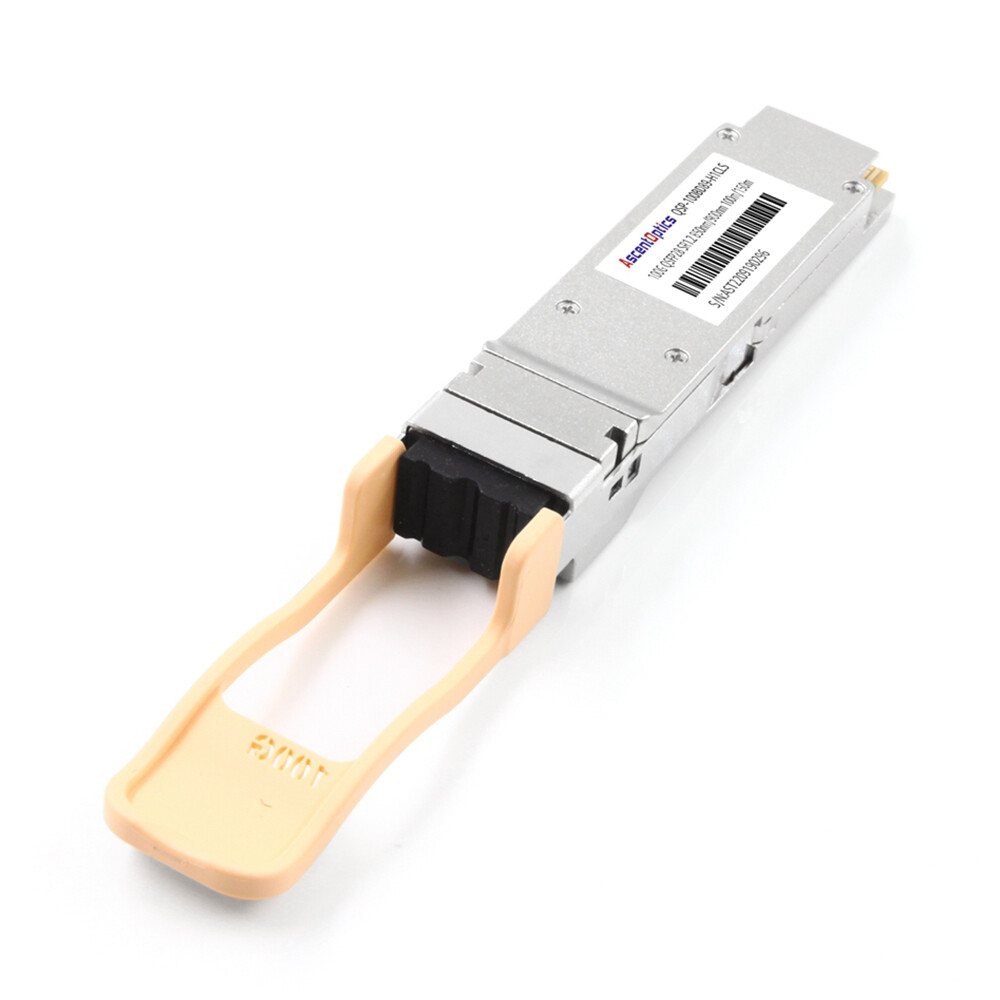
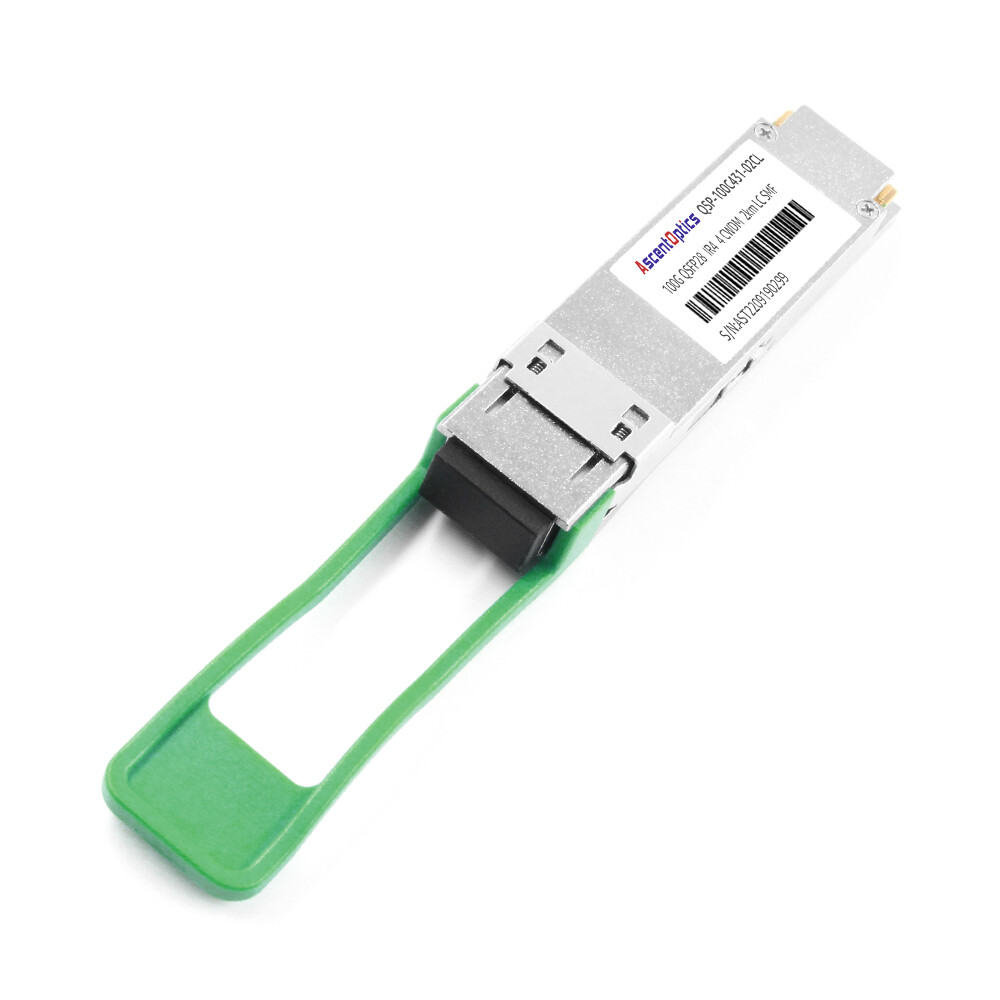
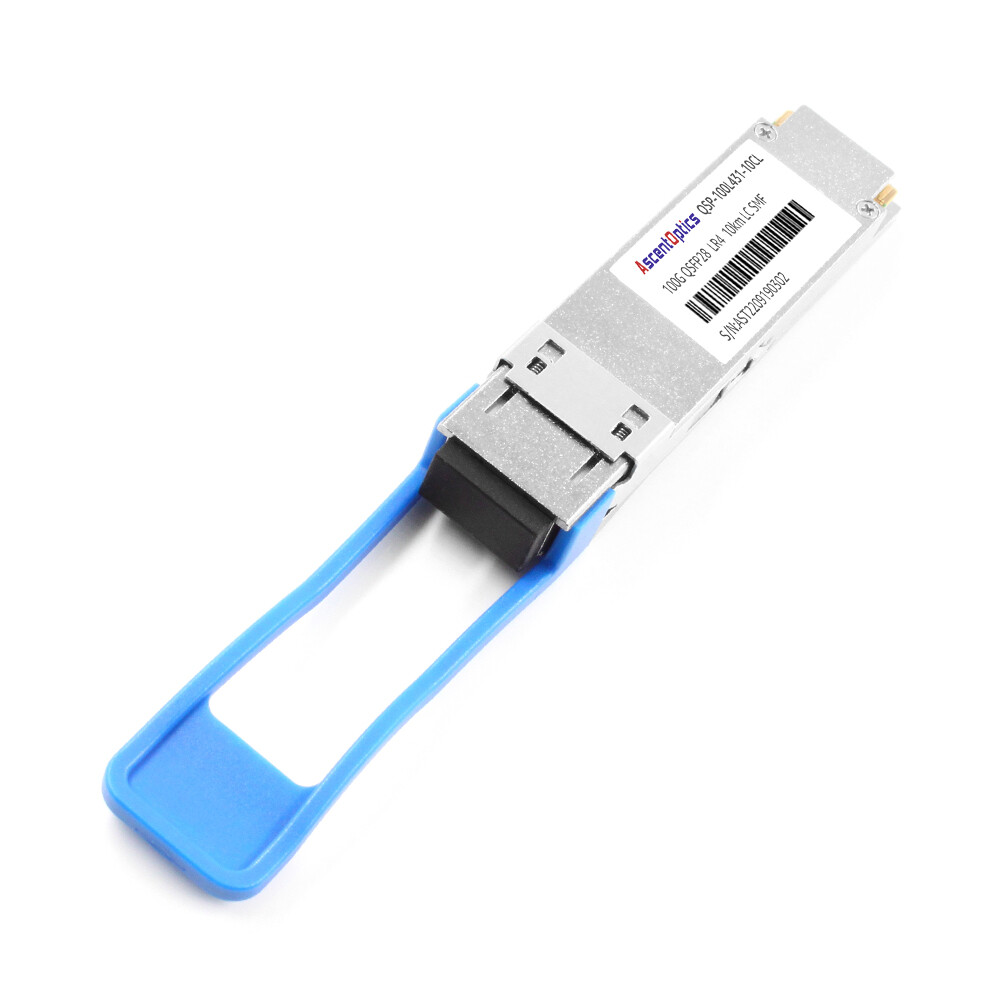
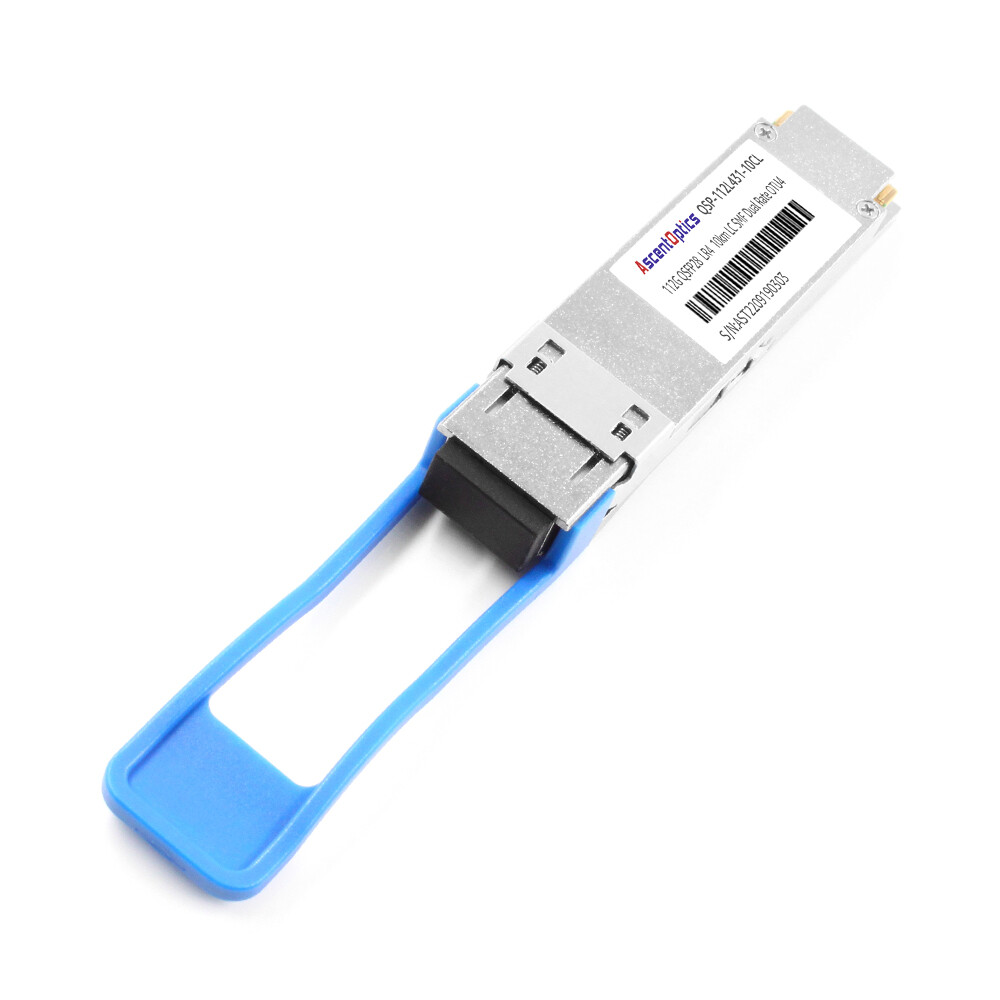
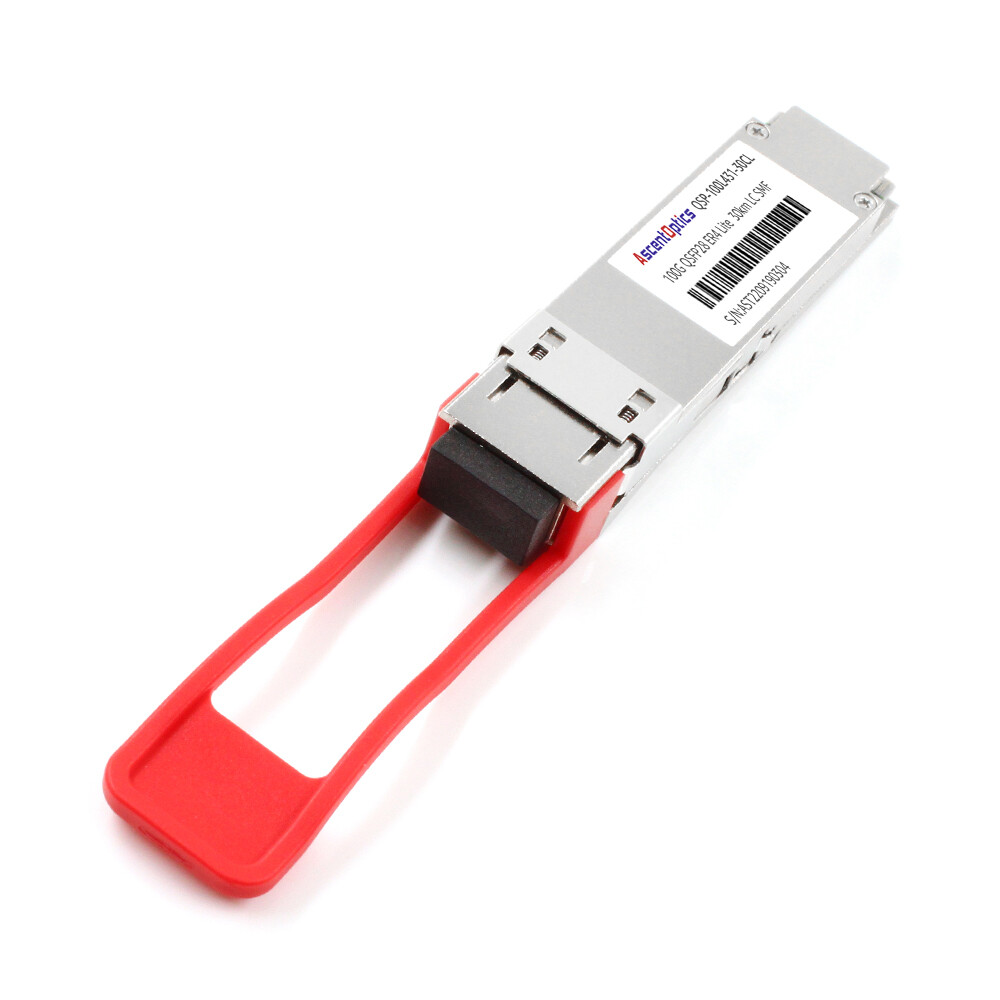
Marcus Rodriguez experienced his first link failure and initially assumed it was caused by a bad or counterfeit optic. In March 2024, he installed a QSFP28 LR4 module in what he believed was a standard 100G port on his new switch. The module seated correctly and the latch engaged, but the link refused to come up.
After three hours of troubleshooting, Marcus discovered the real issue. The module was fine and the switch port supported 100G QSFP28, but the port required a specific FEC setting that differed from the default configuration used by most peer devices. This made it clear: the module and the switch were both working, but they simply could not work together.
If you have ever wondered whether silver-plated multimode fiber is needed for high-speed data communications, or if you are planning QSFP28 compatibility testing in the lab, you need to understand today’s leading L2 and L3 switches. Since 2005, the Ethernet switching market has seen continuous innovation from major networking vendors, with steady improvements in cost-effectiveness and performance.
Need help matching switches to optics? Explore Ascent Optics’ QSFP28 transceiver portfolio or contact our engineers for a free compatibility review.
What Is a QSFP28 Switch?
Native QSFP28 Ports vs. Backward-Compatible Ports
A QSFP28 switch is a networking platform that supports 100-Gigabit Ethernet through QSFP28 form-factor ports. Some switches offer native QSFP28 ports, meaning the cage and ASIC are specifically designed for 100G operation. Others — particularly newer QSFP-DD and OSFP platforms — offer backward-compatible ports. While these ports can accept QSFP28 modules, their primary focus is on even higher speeds.
For example, NVIDIA SN4700 switches use QSFP-DD ports that natively accept QSFP28 modules without adapters. Cisco Nexus 9500 series switches support native QSFP28 ports on certain line cards. Arista 7060X4 switches (depending on SKU and pricing) support both native QSFP28 and QSFP-DD configurations.
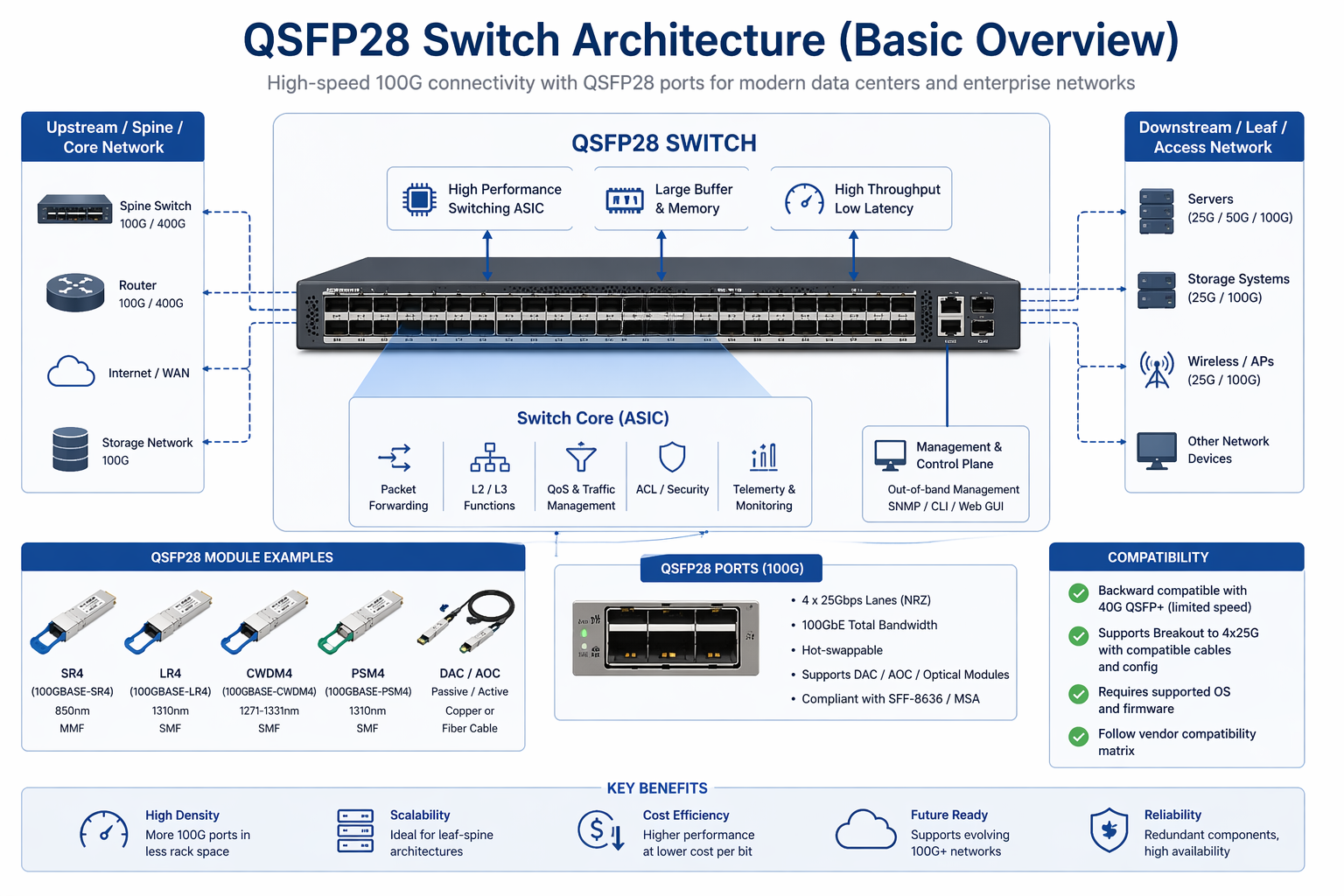
Why MSA Compliance Does Not Guarantee Interoperability
MSA-compliant modules are theoretically interchangeable. The standard defines mechanical dimensions, electrical interfaces, and optical specifications, so any compliant module should work in any compliant port.
In practice, however, each vendor maintains its own whitelist and performs firmware checks. Even if a third-party QSFP28 module differs only in branding, it may be rejected if its Vendor ID in the EEPROM does not match the switch’s expected value. Additional factors such as site-specific configurations, FEC requirements, and platform-specific timing constraints can also affect interoperability.
Key Compatibility Factors: ASIC, Firmware, and FEC
Three critical factors determine whether a QSFP28 module will successfully link up in a given switch port:
- 1. ASIC support:The switch’s packet processor must support 25G NRZ electrical signaling per lane.
- 2. Firmware version:Older firmware may not recognize newer module types or may lack breakout mode support.
- 3. FEC settings:Some platforms default to Firecode FEC (FC-FEC), others require Reed-Solomon FEC (RS-FEC), and mismatches cause link flapping or no link at all.
Cisco QSFP28 Compatible Switches
Cisco Nexus 9200 Series
The Cisco Nexus 9200 series consists of data center aggregation switches suitable for top-of-rack or leaf deployments. For example, the Nexus 92300YC offers 48× SFP28 ports plus 6× QSFP28 uplinks, while the Nexus 9232C provides 32× QSFP28 ports in a compact 1RU form factor.
These switches run Cisco NX-OS and support standard 100GBASE-SR4, LR4, CWDM4, and PSM4 modules. However, capabilities vary by specific model and line card, so always consult the datasheet to confirm 4×25G server breakout support.
Cisco Nexus 9300 Series
The Nexus 93180YC-FX provides 48× SFP28 ports and 6× QSFP28 ports. Nexus 93216TC-FX2 offers 16× 10GBase-T ports plus 8× QSFP28 ports. Nexus 9364C delivers the highest density with 64× QSFP28 ports in a 2RU chassis.
Cisco has qualified these platforms for SR4, LR4, ER4, CWDM4, and DAC/AOC cables. The Nexus 9300 series is widely used in enterprise data centers and cloud edge solutions.
Cisco Nexus 9500 Series
The Nexus 9500 is a modular chassis platform with multiple line card options. The N9K-X9636C-R line card provides 36 QSFP28 ports, while newer R-Series line cards support both QSFP28 and QSFP-DD modules. The 9500 series is primarily designed for spine and core layers where port density and FIB scale are critical.
On modular platforms, always select the correct line card. Not all 9500 line cards offer the same breakout capabilities or module support. Please refer to the specific line card datasheet for your requirements.
Breakout and FEC Notes for Cisco Platforms
Cisco Nexus switches generally support 100G to 4×25G breakout on QSFP28 ports, but exact port mapping depends on the ASIC. Some platforms restrict breakout to specific port groups. For FEC, many Cisco 100G ports default to FC-FEC for 25G breakout links, while native 100G links may use RS-FEC. Manual configuration is often required when connecting to non-Cisco endpoints.
Arista QSFP28 Compatible Switches
Arista 7050X3 Series
The Arista 7050X3 series is a high-performance fixed-configuration switch family designed for low-latency data center applications. The 7050SX3-48YC8 offers 48× SFP28 ports and 8× QSFP28 uplinks. The 7050CX3-32S provides 32× QSFP28 ports for pure 100G leaf deployments.
Arista EOS software enables flexible per-port speed configuration (100G, 40G, or breakout mode). This granular control without chassis-wide restrictions makes the 7050X3 series popular in financial services and high-frequency trading environments.
Arista 7060X4 Series
The Arista 7060X4 series features a completely new internal architecture with a redesigned ASIC. It offers excellent power efficiency and port distribution, making it one of Arista’s most technically advanced product lines.
Arista 7280R3 Series
The Arista 7280R3 family combines high-density 100G, deep buffers, and advanced routing capabilities. It is well-suited for edge compute acceleration and high-quality video delivery. The 7280CR3-32P4 model provides 32× QSFP28 ports plus 4× QSFP-DD ports, making it ideal for edge deployments, CDNs, and WANs.
The series also supports DWDM coherent optics and can scale up to 32 Tbps while accommodating a wide range of 1/10/25/40/100G optical modules and DAC cables.
Juniper QSFP28 Compatible Switches
Juniper QFX5120 and QFX10002
The QFX5120-48Y is a leaf switch with 48× SFP28 ports and 8× QSFP28 uplinks. The QFX10002-60C is a spine switch offering 60× QSFP28 ports and 6 Tbps switching capacity, making it suitable for large-scale leaf-spine fabrics and data center interconnects.
These platforms run Junos OS and support standard 100GBASE-SR4, LR4, CWDM4, and DAC/AOC cables. They are commonly used in enterprise data centers and campus aggregation scenarios.
Juniper PTX10008 and MX Series
The Juniper PTX10008 is a packet transport router for service provider and hyperscale core networks, supporting 100G and 400G line cards, both native QSFP28 and QSFP-DD ports optionally deployed. The PTX10008 is intended for high-scale implementation of MPLS, Segment Routing, and EVPN.
MX Series routers also announce support for QSFP28 transceiver modules/output for a few MICs and integrated ports in the MX10003 and MX204. These platforms are perfect for WAN edge services, 5G aggregation, and metro Ethernet services.
Breakout and FEC Notes for Juniper Platforms
Junos OS requires specific speed configuration in order to activate the 25G lanes of most 50G-based PTX and QFX line cards. With an increasing number of such line cards that ship with 100G native connectivity, users must enable 4×25G breakout support by selective configuration. FEC support varies by platform, Junos release, and 100G link type. Modern platforms such as QFX5120 and QFX10002 should be more readily support R-S100 FEC on 100G links, while older builds could need software upgrades to release later releases.
NVIDIA/Mellanox QSFP28 Compatible Switches
Native QSFP28: SN4600C and SN3420
The NVIDIA Spectrum SN4600C is a native QSFP28 switch with 64× QSFP28 ports designed for 100G leaf-spine fabrics, AI clusters, and high-performance computing environments. The SN4600C supports standard 100G optics, DACs, AOCs, and breakout cables.
12× QSFP28 ports and 48× SFP28 ports make up the SN3420, a smaller top-of-rack switch that is most frequently deployed to connect GPU servers in AI training clusters, where 100G uplinks feed 25G server ports.
QSFP-DD Backward Compatible: SN4700 and SN5400
The NVIDIA SN4700 features 32× QSFP-DD ports that are natively backward compatible with QSFP28 modules. According to NVIDIA’s LinkX documentation, QSFP-DD cages accept all QSFP-based cables and transceivers at 25G, 40G, 100G, 200G, and 400G aggregate rates. QSFP28 modules can be inserted directly without adapters.
The SN5400 is the Spectrum-4 successor, offering 64× QSFP-DD ports and 25.6 Tbps switching capacity. It also natively supports QSFP28 modules.
OSFP with Adapter Support: SN5600 and SN5610
OSFP ports are present in the SN5600 and SN5610 platforms, enabling 800G operation. QSFP28 is also supported on the same platforms, but physical adapters will be necessary based on module-specific settings and configuration options. With breakout module and adapter configurations to accompany them, the SN5600 allows for up to 256 × 100GbE connections.
The OSFP ports are electrically backward-compatible with 100Gb QSFP28 modules, making this an attractive compatibility point, while permitting the query and decision in identifying specific adapter requirements when ordering optics.
Breakout and FEC Notes for NVIDIA Platforms
NVIDIA Spectrum switches support 100G to 4×25G breakout in most port groups. For AI and HPC fabrics, NVIDIA strongly recommends using NVIDIA-certified LinkX cables and transceivers to achieve the lowest possible latency with RoCEv2. FEC settings can be configured through NVIDIA Onyx or Cumulus Linux.
Other QSFP28 Switch Platforms
HPE Aruba CX 9300 / CX 10000
The HPE Aruba CX 10000 and CX 9300 support multiple 400G QSFP-DD (SFP56) optical ports which are entirely backwards compatible with QSFP28’s or 100G devices. These platforms are intended for use in the campus core of an enterprise and in the data center aggregation. The CX 10000 is equipped with Pensando DPUs used for distributed services processing.
Huawei CloudEngine 6860 and 16800
The Huawei CloudEngine 6860-HAM access switch offers 48× SFP28 ports and 8× QSFP28 uplinks, and it works with the CloudEngine 16800 core chassis to build large-scale data center fabrics. Huawei switches support standards-compliant QSFP28 modules including SR4, LR4, and CWDM4.
White-Box and SONiC Platforms
The white-box switches from Edge-Core, UfiSpace, and Celestica run Broadcom Tomahawk ASIC and support standard QSFP28 optics. Generally these platforms would run SONiC, DANOS, or vendor NOS software. Third-party QSFP28 modules can work without EEPROM coding issues because they choose MSA standards and don’t rely on proprietary vendor white lists.
QSFP28 Breakout Compatibility by Switch Platform
Breakout mode is one of the most common sources of QSFP28 deployment failures. Not every QSFP28 port supports 4×25G breakout, even on switches that advertise “100G support.”
| Switch Family |
Native 100G |
4×25G Breakout |
2×50G Breakout |
QSFP+ 40G |
| Cisco Nexus 9200 |
Yes |
Model-dependent |
Limited |
Yes |
| Cisco Nexus 9300 |
Yes |
Yes (most models) |
Limited |
Yes |
| Cisco Nexus 9500 |
Yes |
Line card dependent |
Line card dependent |
Yes |
| Arista 7050X3 |
Yes |
Yes |
Yes |
Yes |
| Arista 7060X4 |
Yes |
Yes |
Yes |
Yes |
| Juniper QFX5120 |
Yes |
Yes |
Limited |
Yes |
| Juniper QFX10002 |
Yes |
Yes |
Yes |
Yes |
| NVIDIA SN4600C |
Yes |
Yes |
Yes |
Yes |
| NVIDIA SN4700 |
Yes |
Yes |
Yes |
Yes |
| NVIDIA SN5600 |
Yes |
Yes |
Yes |
Yes |
This table should be your first reference when planning server access or leaf-spine breakout architectures. Never assume breakout support without checking the specific model and firmware version.
How to Verify QSFP28 Switch Compatibility
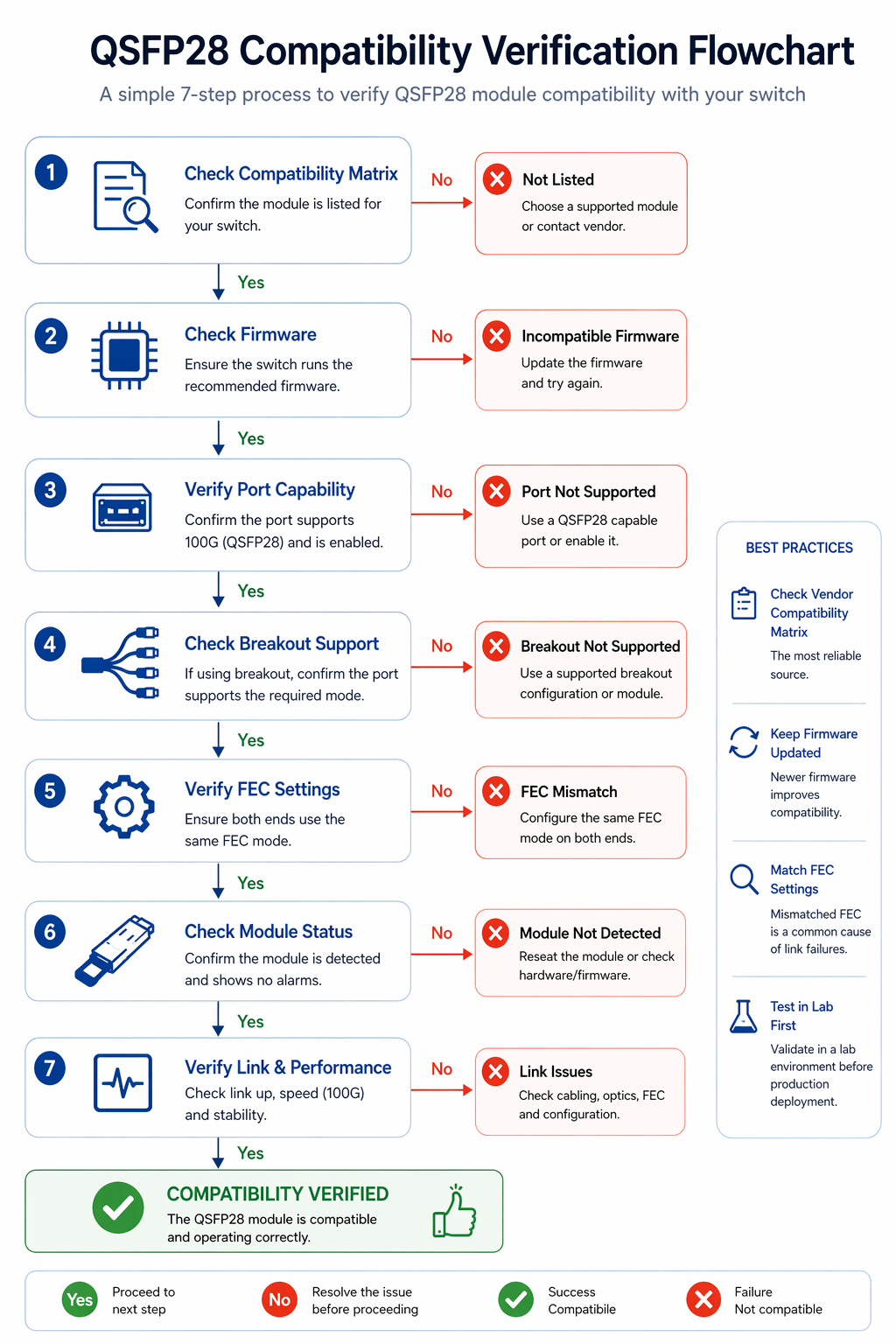
Step 1: Check the Vendor Optics Matrix
Each vendor of a major switch maintains an optics compatibility matrix. Cisco refers to this as the Optics-to-Device Compatibility Matrix. Arista publishes their Transceiver Guide. Juniper goes with the Hardware Compatibility Tool. And NVIDIA provides the LinkX Interoperability Guide. Before ordering, you must cross-reference what your switch’s SKU and module type really are.
Step 2: Confirm Firmware Version
Firmware updates frequently add support for new module types and breakout modes. A switch that cannot detect a QSFP28 CWDM4 module in one release may work perfectly after an upgrade. Always review the release notes for optics qualification updates.
Step 3: Validate Breakout Mode Support
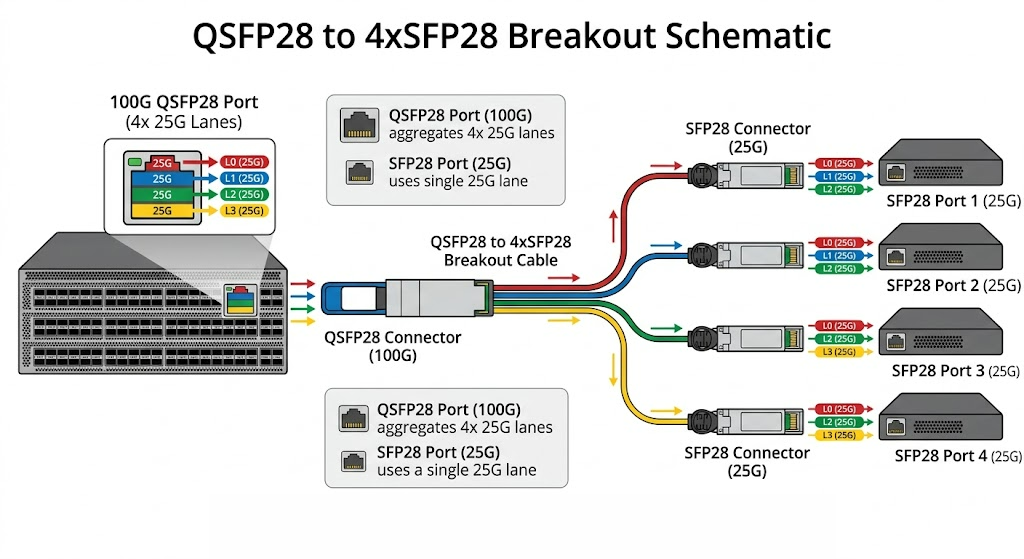
Before you use QSFP28-to-4×SFP28 breakout cables, ensure that your switch model will support the breakout mode you need on the indicated port group. Certain platforms limit breakout for specific ports or demand particular cable types.
Step 4: Match FEC Settings
Forward Error Correction mismatches can prevent otherwise functional links from coming up. When configuring the switch, verify whether FC-FEC or RS-FEC is required and ensure both ends use the same setting. Manual FEC configuration is often necessary for inter-vendor connections.
Step 5: Test in a Lab Before Production
Even with perfect datasheet alignment, real-world behavior can vary due to firmware bugs, timing tolerances, or vendor whitelist restrictions. Always test a representative link in a lab environment before rolling out to production.
Need help verifying compatibility for your specific switch and optic combination? Contact our optical networking experts for a detailed review.
Common Compatibility Pitfalls
The QSFP28 Module That Fits But Does Not Link
In February 2025, Jennifer Park plugged her Arista 7060X4 into an MSA-compliant QSFP28 SR4 module. The modules fitted in properly and were recognized in inventory. However, as she witnessed each link go down, she was escalating up the Arista support line as time waited. She eventually learned that the particular firmware release on her switch had an order of some Vendor ID code update that the third-party transceiver just did not have. A downgrade ultimately sorted out the matter; however, the two-day lony delay caused her to miss her deployment window and end up having to deploy during a bandwidth peak.
This scenario is more common than most engineers expect. Physical fit does not equal electrical interoperability.
Breakout Mode Not Supported on That Port
Certain Cisco Nexus 9200 models offer 32× QSFP28 ports but only enable breakout mode on specific port groups. Misunderstanding this can force engineers to redesign layouts mid-deployment.
FEC Mismatch Between Switch and Adapter
A Juniper QFX5120 configured for FC-FEC on one side and an NVIDIA ConnectX-6 adapter using RS-FEC on the other can result in link flapping. Usually a single configuration command resolves the issue — but only if you know to check FEC.
Thermal Overload in Fully Loaded Switches
One fully populated 64-port switch with 5.5 W ZR4 modules can add more than 350W of optical heat. Although usual enterprise cabinets can handle this, edge settings and under-ventilated racks are likely to follow with thermal throttling and link instability.
Conclusion
Choosing the right QSFP28 compatible switches requires more than checking a spec sheet for “100G support.” You need to verify breakout mode availability, match FEC settings, confirm firmware compatibility, and account for thermal budgets.
Key takeaways:
- •Cisco Nexus 9300 is the dominant enterprise leaf platform for QSFP28.
- •Arista 7060X4 offers the highest density and lowest latency for AI and hyperscale fabrics.
- •Juniper QFX10002 and PTX10008 excel at large-scale spine and carrier aggregation.
- •NVIDIA SN4700 and SN5600 lead in AI/HPC environments with native QSFP28 and breakout support.
- •QSFP-DD switches are backward compatible with QSFP28; OSFP switches may require adapters.
- •Breakout mode and FEC are the two most common sources of deployment failure.
Ready to source QSFP28 modules for your switches? Explore Ascent Optics’ QSFP28 transceiver portfolio and request a quote for your next deployment. For a deeper dive into module selection, read our QSFP28 module types guide. And if you are planning a 400G migration, see our guide to QSFP-DD compatible switches.
Frequently Asked Questions
Q1: Which switches are eligible for QSFP28 compatibility?
The major QSFP28 compatible switches include Cisco Nexus 9200/9300/9500, Arista 7050X3 / 7060X4 / 7280R3, Juniper QFX5120 / QFX10002 / PTX10008, and NVIDIA SN4600C / SN4700 / SN5600. With the advent of QSFP-DD and OSFP technologies, QSFP28 modules are now widely supported through backward compatibility.
Q2: Is it possible to have QSFP28 in a QSFP-DD switch?
Yes. Most QSFP-DD platforms (such as NVIDIA SN4700/SN5400 and Arista 7060X4) are designed with native backward compatibility for QSFP28 modules. The QSFP28 module can be inserted directly without adapters.
Q3: Can QSFP28 be used in an OSFP switch?
Yes, but OSFP switches (such as the NVIDIA SN5600) typically require a physical adapter depending on the module and port configuration. Always check adapter requirements with the switch vendor.
Q4: Is 4×25G breakout compatible with all the QSFP ports?
Not at all. Breakout capability varies according to the switch’s ASIC, line card, and firmware. In some platforms, to use breakout, it is necessary to confine its use to certain groups of ports. The exact behavior is defined in the associated datasheet for your specific model.
Q5: Why does my QSFP28 module fit but not link up?
Common causes include firmware whitelist restrictions, FEC mismatches, unsupported breakout modes, or incorrect speed configuration. Verify all three layers: physical, electrical, and software.
Q6: Which FEC should I use with QSFP28?
Most modern 100G QSFP28 links use RS-FEC. However, some switches default to FC-FEC for 25G breakout links. Always match the FEC setting to the requirements of the far-end device.
Cisco Optics-to-Device Compatibility Matrix
NVIDIA LinkX User Guide
Post Views: 3,114