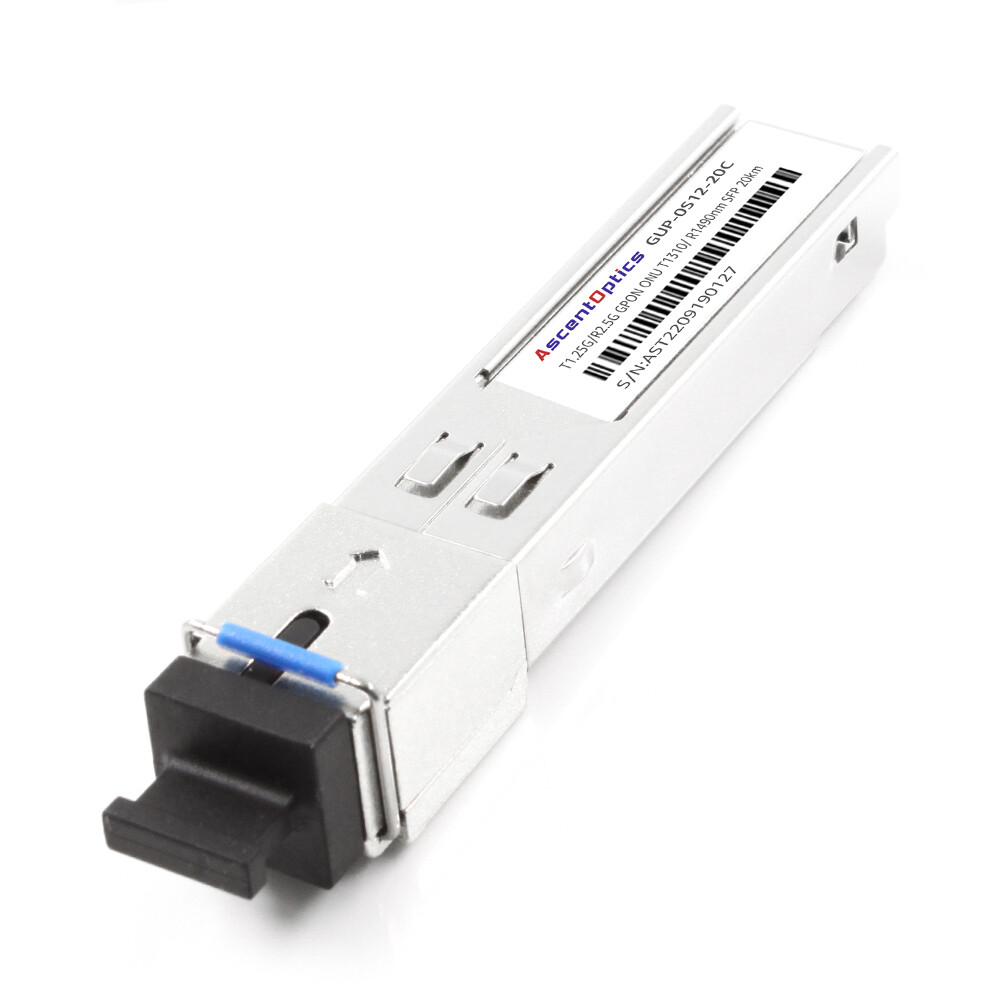
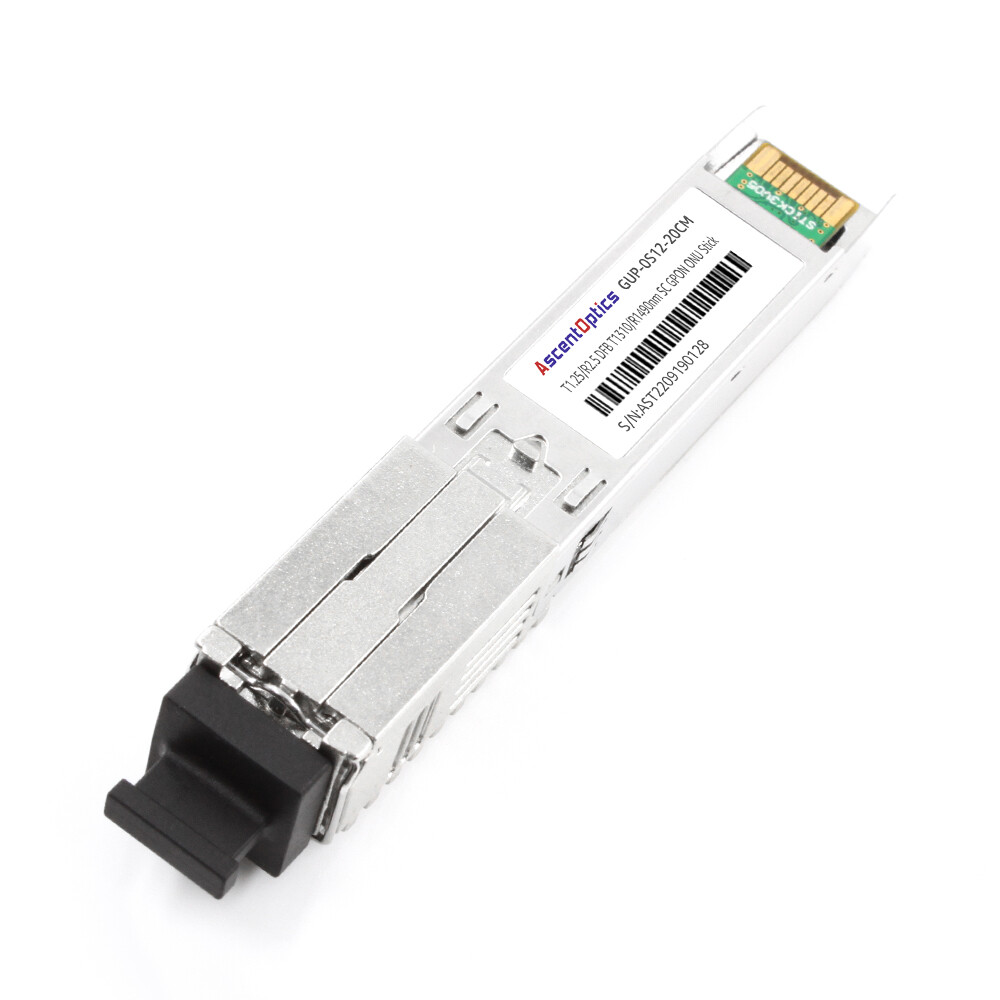
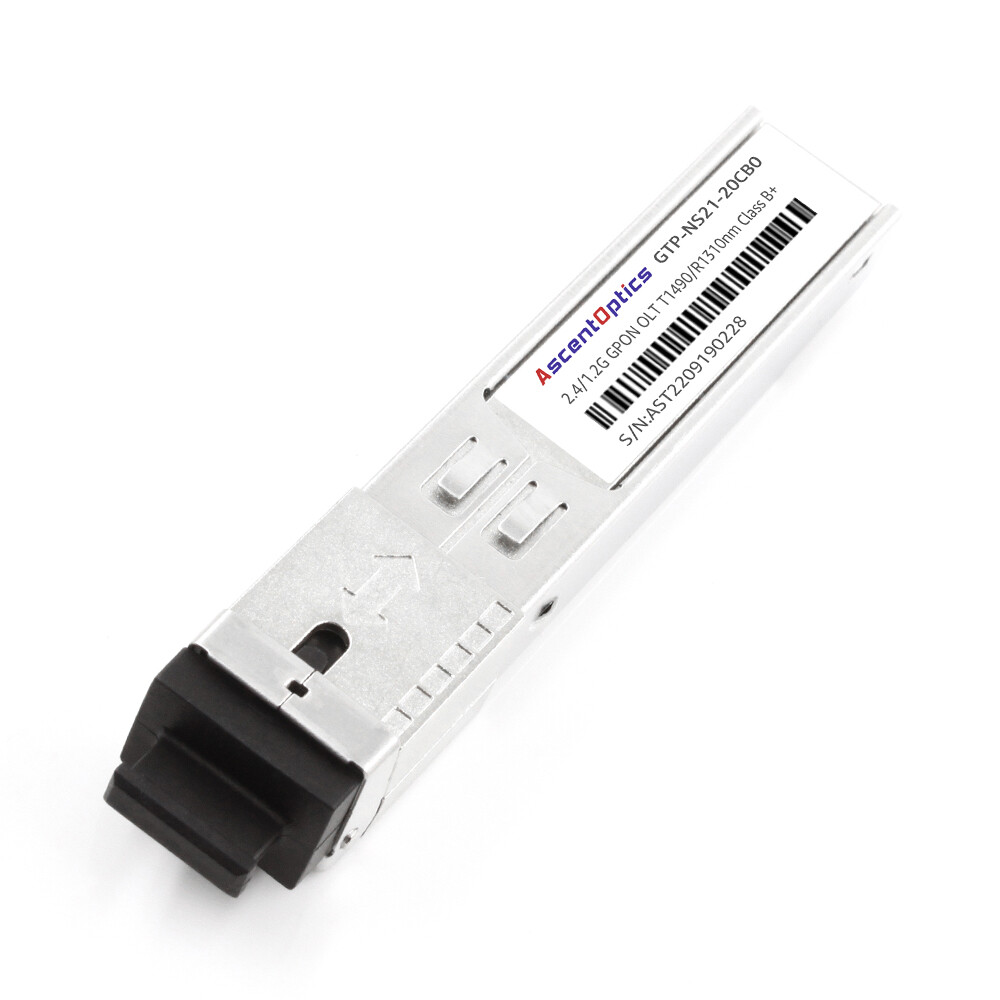
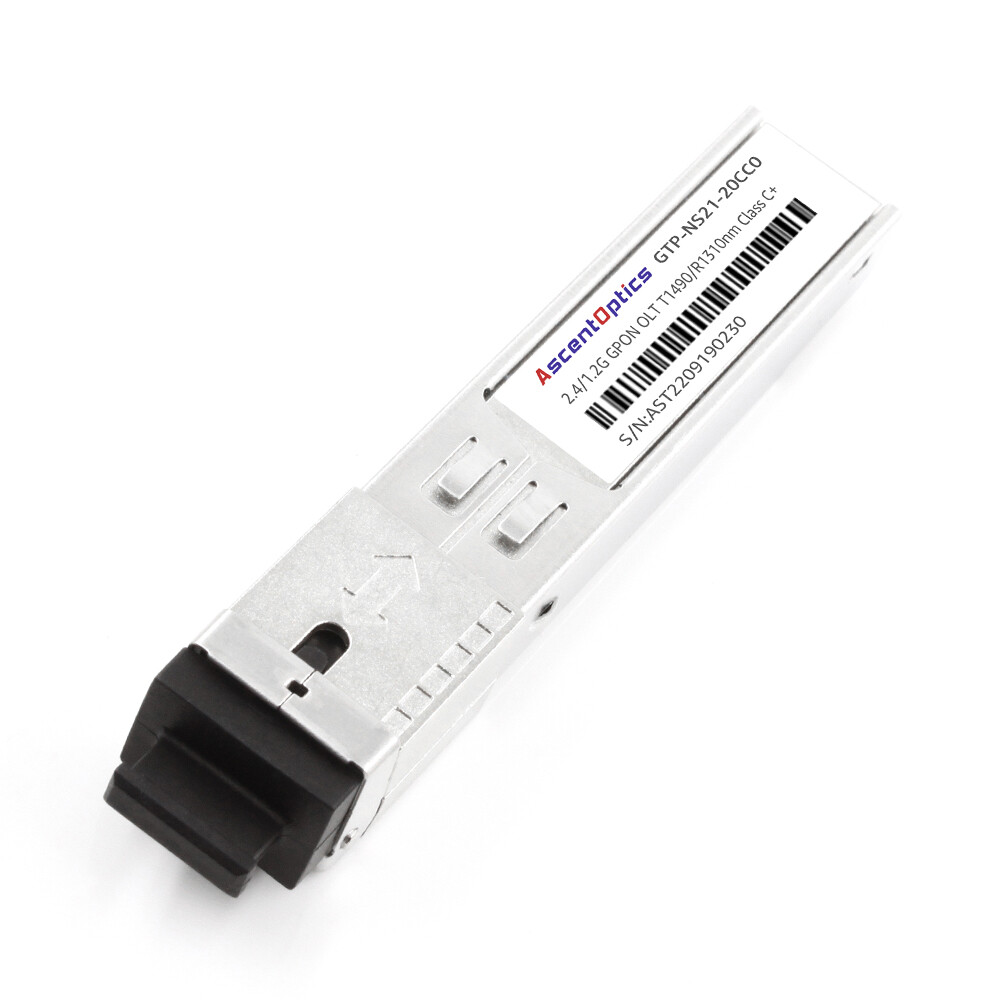
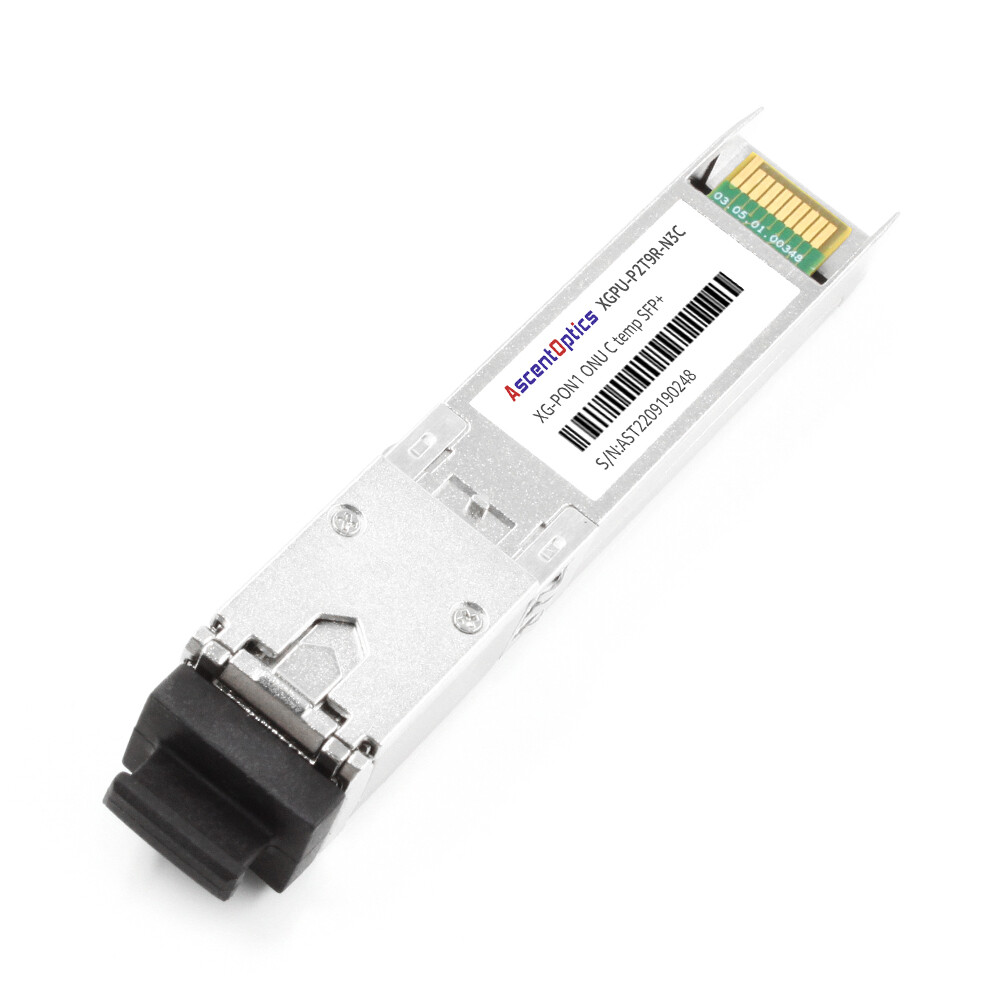
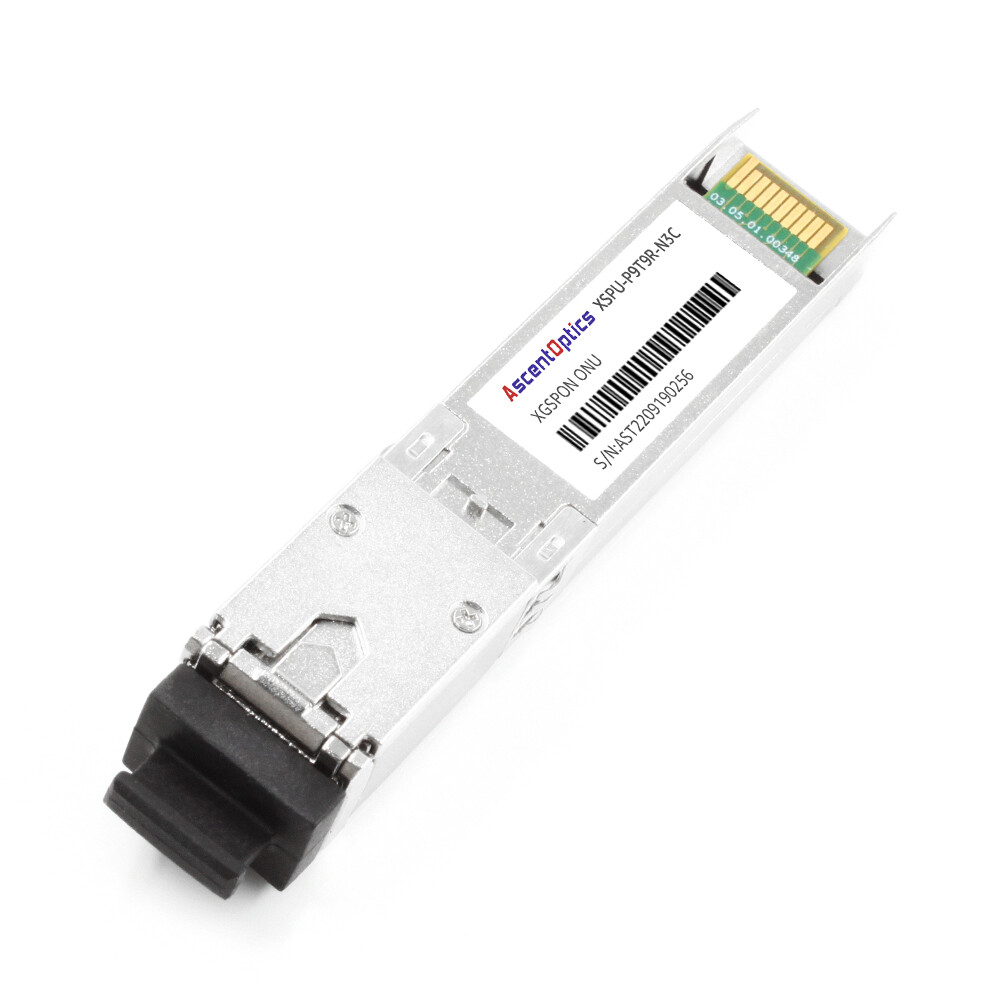
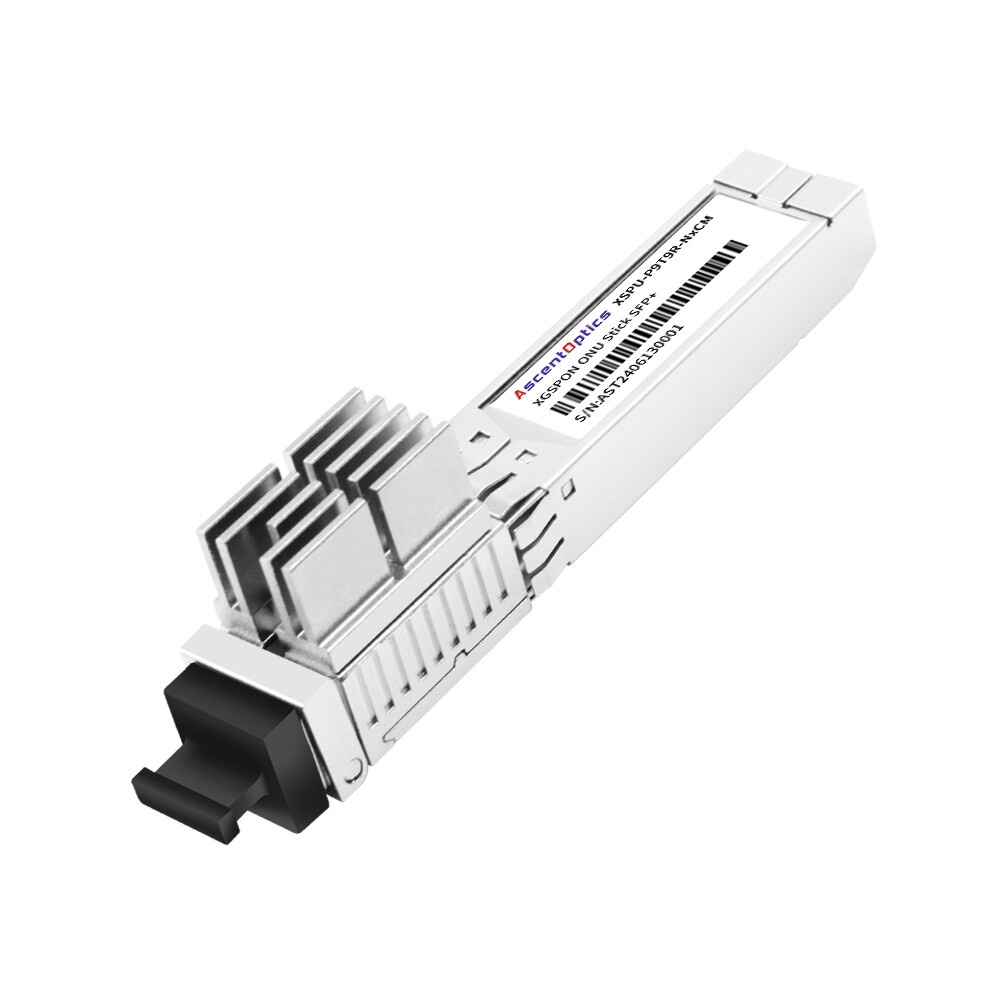
A GPON ONU SFP stick integrates optical network unit (ONU) functionality into a pluggable SFP form factor. When supported by the host device and the service provider’s network, it can replace a standalone optical network terminal (ONT), allowing fiber connectivity to be integrated directly into a compatible router, switch, or firewall.
For network enthusiasts and advanced users, this approach can reduce the number of separate devices and simplify network deployment. However, replacing an ISP-provided ONT is not always a plug-and-play process. Compatibility, authentication, firmware, VLAN configuration, and operator policies all need to be considered.
This guide explains how GPON ONU SFP sticks work, what information to collect before deployment, how to understand GPON registration states, and how to troubleshoot common connection problems.
What Is a GPON ONU SFP Stick?
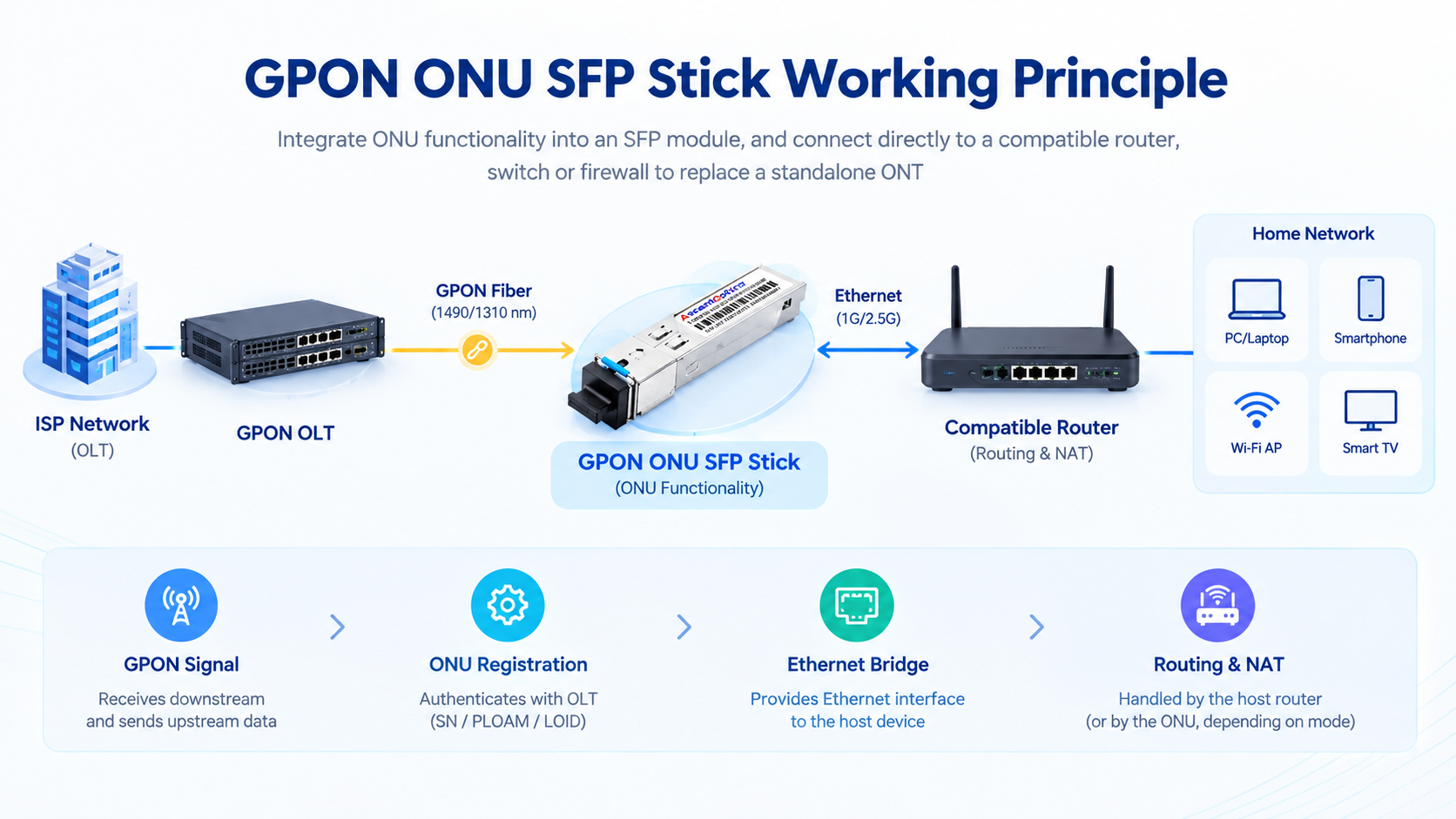
A GPON ONU SFP stick is an optical network unit integrated into a pluggable SFP module. Instead of using a separate desktop ONT, the ONU stick connects directly to a compatible SFP port on a router, switch, or firewall.
It performs the PON-side functions required to communicate with the service provider’s optical line terminal (OLT). The host device can then handle Ethernet connectivity, routing, firewall functions, and other network services, depending on the ONU’s operating mode.
GPON ONU SFP Stick vs. Ethernet Media Converter
A GPON ONU SFP stick is not simply an Ethernet media converter.
An Ethernet media converter typically converts Ethernet signals between optical fiber and copper interfaces. It does not perform the GPON registration and management functions required to communicate with a GPON OLT.
A GPON ONU SFP stick, by contrast, implements GPON functionality and must be accepted by the OLT before the subscriber connection can operate normally.
Depending on the operator’s configuration, registration and service provisioning may involve:
- •GPON serial number (SN)
- •PLOAM password
- •LOID and associated password
- •OMCI configuration and management
- •Other operator-specific authentication or provisioning requirements
Not every network uses all these mechanisms, and the required configuration varies by operator.
Chipsets and Compatibility
Various GPON ONU SFP sticks use chipsets from vendors such as Realtek. RTL9601C and RTL9601D are examples found in certain products, while other designs may use different hardware platforms.
Community documentation for RTL960x-based devices and products such as the ODI DFP-34X-2C2 can be useful when researching configuration procedures.
However, similar chipsets do not guarantee identical firmware, management interfaces, commands, or OLT compatibility. Always check the documentation for the exact module model.
Before purchasing an ONU stick, verify:
- •Whether the ISP permits customer-provided ONUs.
- •Whether the module supports the operator’s GPON authentication and provisioning requirements.
- •Whether the host device supports the module’s electrical interface and operating mode.
- •Whether the module’s optical specifications match the access network.
- •Whether the required firmware and management functions are available.
Before You Start: What to Check on the Original ONT
Before replacing the original ONT, collect the relevant connection and provisioning information.
Some information may be available through the ONT’s management interface, while other details may need to be obtained from the ISP. Not all operators expose authentication credentials to subscribers.
Record the following information where available:
| Value |
Where to Find It |
Purpose |
| GPON serial number |
ONT label, status page, or ISP records |
Identifies the ONU for registration when SN authentication is used |
| PLOAM password |
ONT registration settings or ISP records |
Used for PLOAM authentication when required |
| LOID and LOID password |
ONT configuration or ISP records |
Used when the operator provisions ONUs through LOID authentication |
| ONT MAC address |
ONT label or status page |
May be relevant to ISP provisioning or IP service policies |
| PPPoE username and password |
ISP account information |
Required when the internet service uses PPPoE |
| WAN VLAN ID |
ISP documentation or ONT WAN configuration |
Identifies the relevant service VLAN when VLAN tagging is required |
| IPTV and VoIP settings |
ISP documentation or ONT configuration |
May be required to preserve additional services |
| OMCI-related information |
ONT management interface or ISP documentation |
May help identify operator-specific provisioning requirements |
GPON Serial Number vs. MAC Address
The GPON serial number and Ethernet MAC address serve different purposes.
The GPON serial number is used in PON discovery and may be used for ONU authentication. A MAC address operates at the Ethernet layer and may be relevant to IP service provisioning or other ISP policies.
Changing or cloning a MAC address does not correct an incorrect GPON serial number.
Whether the original ONT’s MAC address needs to be retained depends on the operator’s service configuration. Do not assume that it must always be assigned to the ONU stick or the host router.
PLOAM Password and LOID
PLOAM passwords and LOID credentials are operator-dependent. Their formats, lengths, and storage requirements may differ between implementations.
For example, some devices expect a password in a particular character or hexadecimal format. A configuration command that works on one firmware build may not work on another.
Use the exact format required by the module’s documentation and the ISP’s provisioning system.
Important: Only replace or reconfigure an ONT when permitted by your service provider. Some operators require approved equipment or specific provisioning procedures.
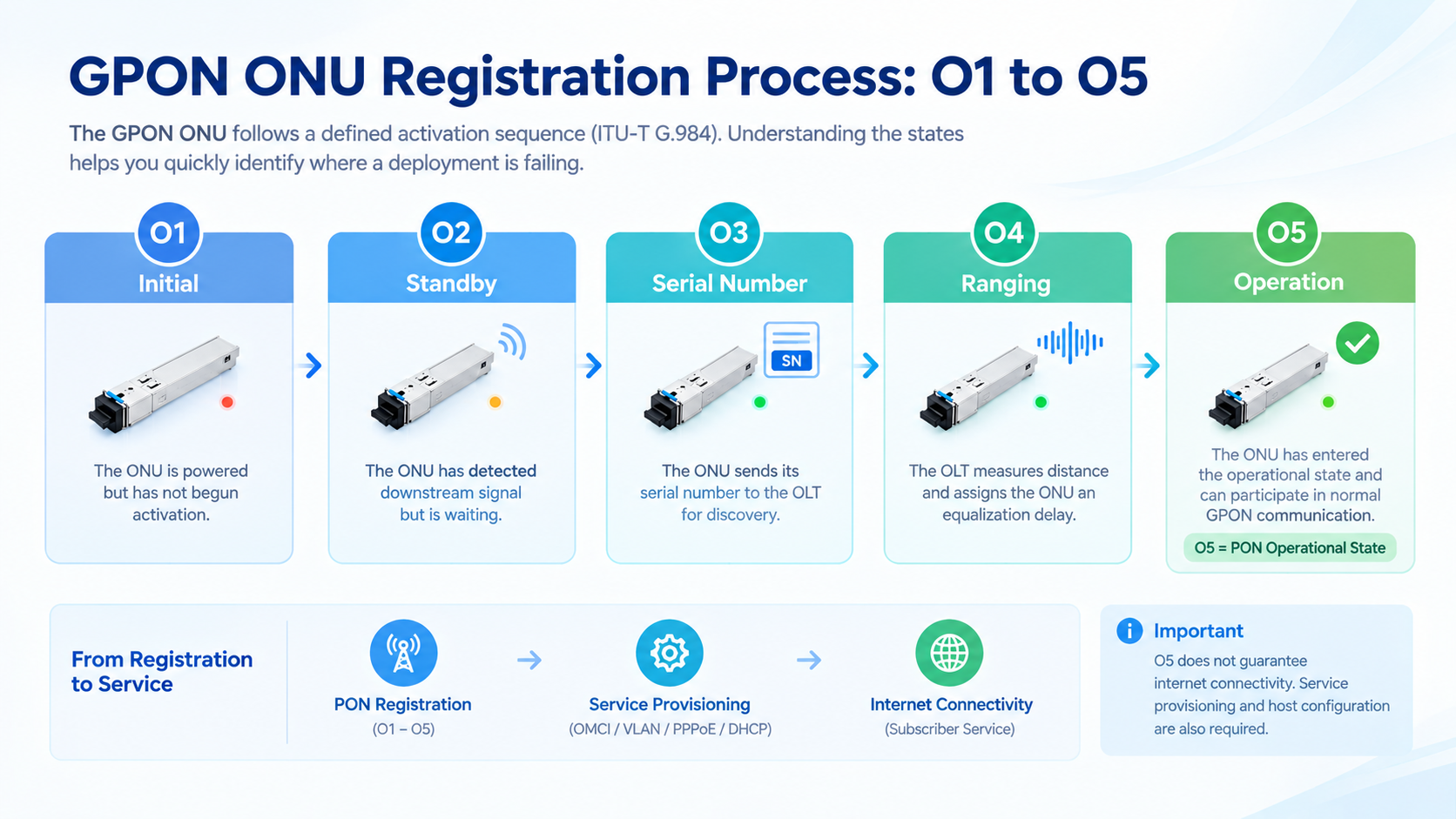
GPON ONU Registration States: O1 to O5
GPON activation follows defined procedures in the ITU-T G.984 series. Understanding the ONU’s state can help identify whether a problem is related to the optical link, registration, or service configuration.
The commonly encountered states include:
| State |
Description |
| O1 – Initial |
The ONU is in its initial state before completing activation. |
| O2 – Standby |
The ONU is in the standby stage of the activation process. |
| O3 – Serial Number |
The ONU participates in serial-number discovery. |
| O4 – Ranging |
The OLT performs ranging and establishes the timing parameters required for upstream transmission. |
| O5 – Operation |
The ONU has entered the operational state and can participate in normal GPON communication, subject to service provisioning. |
| O6 – POPUP |
A state associated with certain loss-of-synchronization or recovery conditions. |
| O7 – Emergency Stop |
A state associated with an emergency-stop condition. |
The exact state transitions and diagnostic information depend on the implementation and management interface.
What Does O5 Mean?
O5 is the normal operational state for a registered GPON ONU.
Reaching O5 indicates that the ONU has progressed through the relevant activation procedures. However, it does not guarantee that the subscriber has working internet access.
The following functions may still need to be checked:
- •OMCI service provisioning
- •Ethernet or bridge configuration
- •WAN VLAN tagging
- •PPPoE or DHCP configuration
- •ISP-specific service restrictions
- •Host router configuration
An ONU that reaches O5 but cannot access the internet may therefore have a service-layer problem rather than an optical registration problem.
Similarly, an ONU that remains in O3 may require further investigation into serial-number discovery, authentication settings, or operator provisioning. The state alone does not identify the exact cause.
How to Configure a GPON ONU SFP Stick
Configuration procedures vary by chipset, firmware, and manufacturer.
Some ONU sticks provide a web-based management interface, while others support command-line configuration or vendor-specific management tools. Certain products may expose commands such as flash set, but these commands are not universal.
Do not assume that every RTL960x-based device uses the same IP address, credentials, commands, or firmware layout.
Before changing settings:
- 1. Identify the exact ONU stick model and firmware version.
- 2. Read the manufacturer’s configuration documentation.
- 3. Record the existing configuration and retain a recovery method.
- 4. Confirm the authentication and service requirements with the ISP.
- 5. Avoid changing undocumented parameters unless their functions are understood.
HGU vs. SFU Firmware
HGU and SFU describe different ONU operating models.
HGU (Home Gateway Unit)
An HGU is designed to provide gateway functionality. Depending on the implementation, this may include routing, NAT, DHCP, and other residential gateway services.
SFU (Single Family Unit)
An SFU is generally designed for a simpler subscriber-side device architecture, commonly with Ethernet bridging and service functions handled by a separate host router.
The exact feature set depends on the device and firmware. An HGU or SFU label alone does not establish whether a module supports a particular bridge mode, VLAN behavior, or OMCI profile.
Which Mode Should You Choose?
The appropriate mode depends on the ISP’s provisioning requirements and the intended network architecture.
If the host router is responsible for PPPoE, VLAN handling, routing, and firewall functions, a compatible bridge-oriented configuration may be appropriate. If the ONU is expected to provide gateway functions, an HGU-oriented implementation may be more suitable.
Before selecting a firmware mode, verify:
- 1. Whether the ISP supports the selected ONU implementation.
- 2. Whether the OLT expects a particular OMCI profile.
- 3. Whether VLAN tags are added, removed, or passed through as required.
- 4. Whether PPPoE or DHCP should run on the ONU or host router.
- 5. Whether the selected firmware supports the required Ethernet and management functions.
Do not assume that HGU is always safer or that SFU is always compatible with third-party routers.
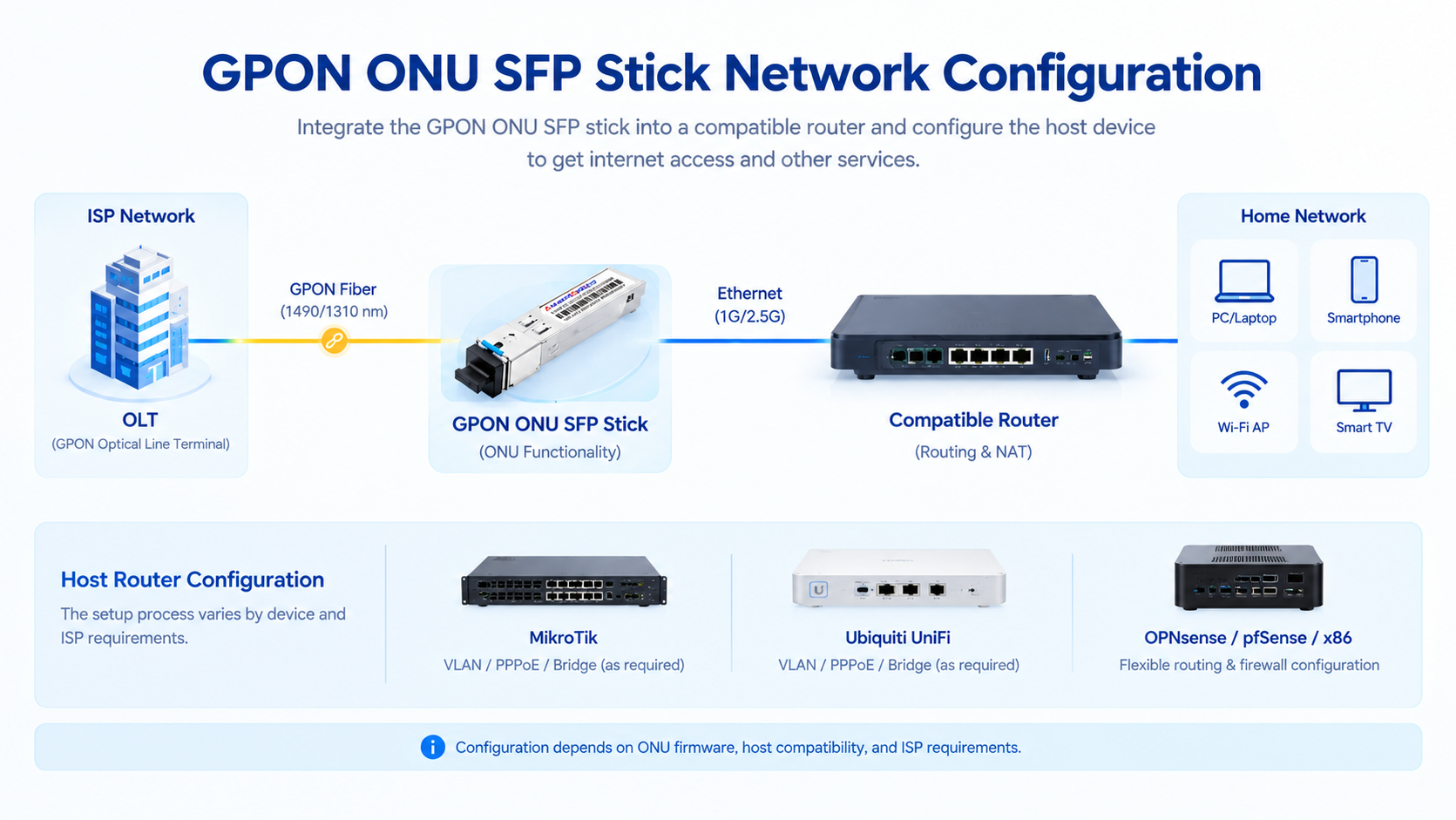
Configuring the Host: MikroTik, Ubiquiti, and OPNsense
When the ONU stick operates in a bridge-oriented configuration, the host device typically handles the subscriber’s Ethernet and IP services.
The exact setup depends on the host hardware, operating system, ONU firmware, and ISP requirements.
MikroTik
MikroTik devices with supported SFP or SFP+ ports may be used as hosts for ONU sticks.
Before deployment, check:
- 1. Whether the router model supports the module’s interface and power requirements.
- 2. Whether RouterOS recognizes the module and establishes a stable link.
- 3. Whether the host port and ONU Ethernet interface use compatible link settings.
- 4. Whether the ISP requires a WAN VLAN.
- 5. Whether PPPoE or DHCP should run on the physical interface or a VLAN interface.
If the SFP link does not come up, inspect the module’s supported Ethernet modes and the router’s interface configuration. Some combinations may require a specific speed or link mode, but forcing 1GBASE-X is not a universal solution.
If the ISP requires a tagged WAN service, configure the appropriate VLAN interface and apply the PPPoE or DHCP client to the interface specified by the network design.
Ubiquiti UniFi
Compatibility with Ubiquiti devices depends on the exact router model, port capabilities, firmware, and ONU stick.
Before using an ONU stick in a UniFi WAN port, verify that the host supports the module’s interface and that the ONU can meet the ISP’s registration and provisioning requirements.
If the ONU operates in a bridge-oriented mode, WAN VLAN and PPPoE settings may need to be configured on the UniFi gateway.
Do not assume that all UDM or UXG models accept every third-party ONU stick. Consult the documentation for the specific gateway and module.
OPNsense, pfSense, and x86 Network Interfaces
x86 systems can provide flexible routing and firewall functionality, but SFP compatibility varies considerably between network cards.
Potential issues include:
- •Unsupported or unrecognized module EEPROM information
- •Incompatible link modes
- •Insufficient module power
- •Thermal limitations
- •Driver or firmware restrictions
Check the NIC manufacturer’s supported module list, power specifications, and interface configuration options.
If the link is unstable, inspect module temperature, power delivery, driver messages, and link settings before assuming that the PON connection itself is faulty.
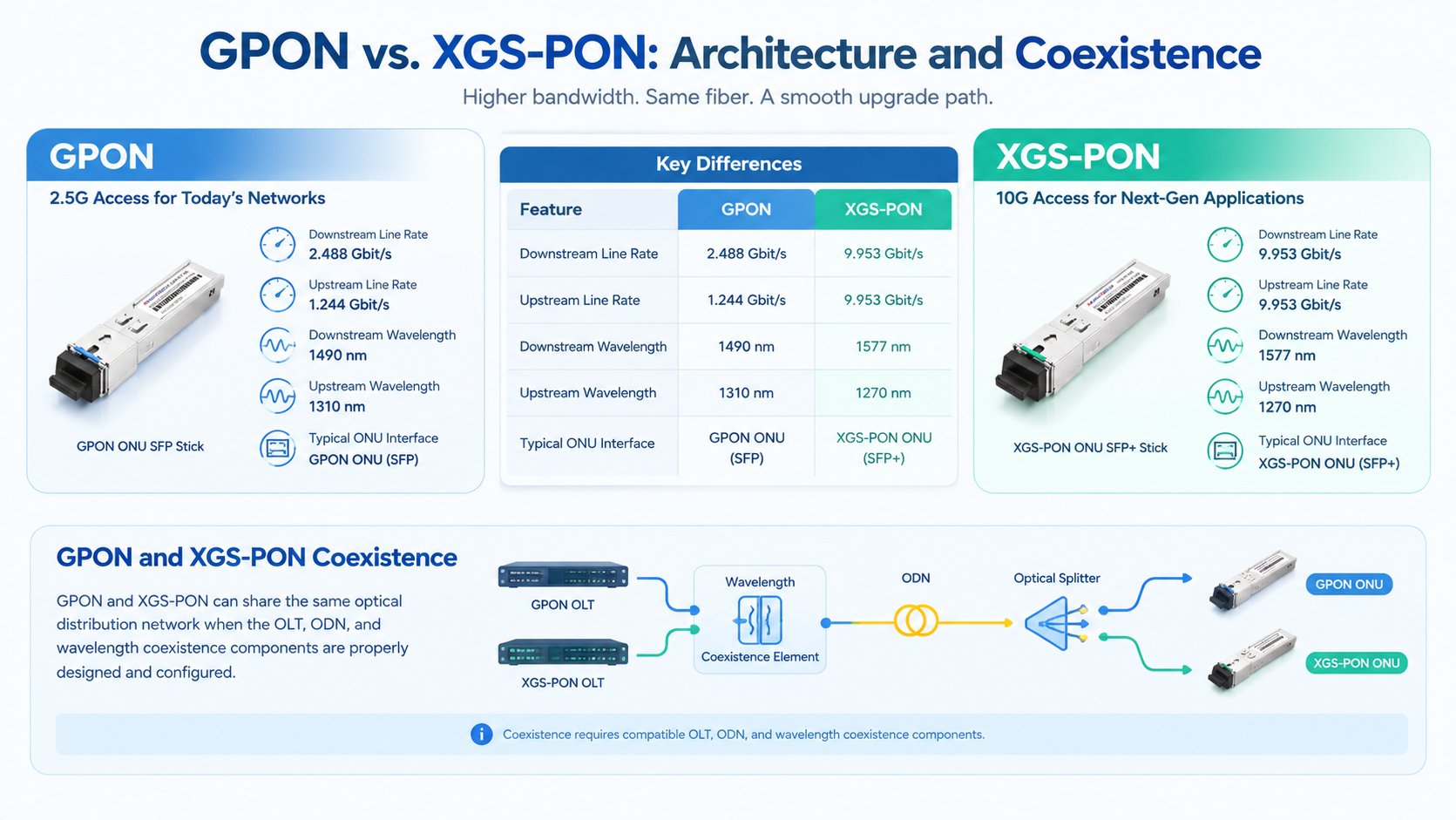
XGS-PON SFP+ ONU Sticks: The 10G Upgrade
For subscribers who require higher bandwidth, an XGS-PON ONU SFP+ stick may be an option when supported by the service provider.
XGS-PON is standardized in the ITU-T G.9807.1 series and supports a nominal line rate of approximately 10 Gbit/s in both downstream and upstream directions.
Its commonly specified wavelength bands are:
- •Downstream: approximately 1577 nm
- •Upstream: approximately 1270 nm
GPON and XGS-PON Coexistence
GPON and XGS-PON can coexist on the same optical distribution network when the OLT, optical distribution network, and wavelength coexistence components are designed and configured to support both systems.
This allows operators to introduce XGS-PON services while retaining GPON services on the same fiber infrastructure.
However, coexistence does not mean that every GPON connection can automatically operate at XGS-PON speeds. The subscriber must have a compatible XGS-PON ONU, an appropriate service plan, and supporting operator infrastructure.
What to Check Before Upgrading
An XGS-PON ONU stick generally requires a compatible SFP+ host interface rather than a conventional 1G SFP interface.
The host must also provide sufficient processing performance and suitable network interfaces to handle the intended traffic rate.
Before upgrading, verify:
- •XGS-PON support at the ISP’s OLT.
- •Compatibility with the operator’s authentication and provisioning system.
- •Support for the module’s interface and power requirements.
- •Required optical specifications and connector type.
- •Host routing performance and WAN/LAN interface capacity.
The configuration process may resemble GPON deployment at a high level, but GPON and XGS-PON modules are not interchangeable simply because they use similar form factors.
Troubleshooting: Three Common Failure Layers
A useful troubleshooting approach is to separate problems into three layers: optical connectivity, PON registration, and subscriber service.
Layer 1: Optical Connectivity – LOS or No Downstream Signal
If the ONU reports loss of signal (LOS) or cannot detect a valid downstream signal, begin with the optical path.
Check the following:
- 1. Confirm that the fiber is connected to the correct port.
- 2. Inspect the connector for contamination or damage.
- 3. Verify that the connector type and polish match the equipment requirements.
- 4. Check whether the module supports the PON technology and wavelength used by the network.
- 5. Measure the received optical power and compare it with the module’s specified operating range.
GPON access networks commonly use SC/APC connectors, but the correct connector must always be confirmed for the specific equipment and deployment.
SC/APC and SC/UPC connectors should not be directly mated together. Their different end-face geometries can result in poor optical contact and increased reflection.
Received optical power should be evaluated against the module’s specifications and the network’s optical budget. A value that is too low may indicate excessive loss, while a value that is too high can also exceed the receiver’s operating range.
Do not use a single sensitivity threshold as a universal pass/fail value for every GPON ONU.
Layer 2: PON Registration – Optical Signal Present but No O5
If the ONU receives a downstream signal but does not reach O5, investigate the activation and registration process.
Possible causes include:
- •Incorrect or unsupported ONU serial number
- •Missing or incorrect PLOAM password
- •LOID credentials that do not match the ISP’s configuration
- •Incorrect PON technology or incompatible module
- •ONU provisioning restrictions on the OLT
- •Firmware or OMCI compatibility problems
Check the ONU’s diagnostic information and determine the exact state at which activation stops.
If the device appears to reach O5 but subsequently reports OMCI errors or service failures, investigate the OMCI exchange and provisioning profile.
Some devices expose vendor-specific compatibility settings, but their behavior is firmware-dependent. Changing an undocumented parameter does not guarantee that the OLT will accept the ONU or provision its services correctly.
Layer 3: Service Connectivity – O5 but No Internet
If the ONU reaches O5 but the subscriber cannot access the internet, investigate the Ethernet and IP service configuration.
Common areas to check include:
WAN VLAN
Confirm whether the ISP requires a tagged WAN VLAN and whether the tag is configured at the correct point in the network.
PPPoE or DHCP
Determine whether the service uses PPPoE, DHCP, or another provisioning method. Confirm that the client is configured on the correct interface.
Bridge and Ethernet Configuration
Check whether the ONU passes the required Ethernet frames and whether the host interface is configured for the intended service.
MAC Address Requirements
Some operators apply MAC-based policies or provisioning rules. Verify whether the original ONT’s MAC address needs to be retained and where the ISP expects it to appear.
OMCI and Service Provisioning
An ONU may be registered at the PON layer while the expected Ethernet service has not been provisioned correctly. Review the ONU’s management status and the ISP’s service configuration.
Host Router Configuration
Check interface status, VLAN membership, PPPoE or DHCP logs, routing, DNS, and firewall rules.
Reaching O5 is an important milestone, but successful internet access requires the optical, registration, and service layers to work together.
Frequently Asked Questions
Can I replace my ISP’s ONT with an SFP ONU stick?
Possibly. It depends on the ISP’s equipment policy, OLT configuration, authentication requirements, and the compatibility of the ONU stick and host device. Confirm support with your provider before replacing the original ONT.
What is the O5 state in GPON?
O5 is the GPON Operation state. It indicates that the ONU has progressed through the relevant activation procedures, but it does not guarantee that internet service is correctly configured.
What is a PLOAM password?
A PLOAM password is an authentication parameter used by some GPON deployments. Its format and requirements depend on the operator and ONU implementation.
Do I need HGU or SFU firmware?
Choose the operating mode according to the ISP’s provisioning requirements and the functions expected from the ONU and host router. Neither mode is universally suitable for every deployment.
Why does my GPON stick reach O5 but have no internet?
Possible causes include an incorrect WAN VLAN, missing PPPoE or DHCP configuration, Ethernet bridging problems, OMCI service provisioning issues, or ISP-specific MAC and service policies.
Can I use a GPON ONU stick in an SFP+ port?
Some SFP+ hosts can support compatible 1G modules, but support depends on the host hardware, firmware, and port configuration. Verify compatibility rather than assuming that every SFP+ port accepts every SFP ONU stick.
Can a GPON ONU stick work with any OLT?
No. Compatibility depends on the OLT’s authentication, provisioning, OMCI behavior, and supported ONU implementations. A matching connector and nominal data rate are not sufficient to guarantee interoperability.
What is the difference between GPON and XGS-PON ONU sticks?
GPON and XGS-PON use different PON specifications and optical parameters. GPON is commonly associated with approximately 2.488 Gbit/s downstream and 1.244 Gbit/s upstream line rates, while XGS-PON supports approximately 10 Gbit/s in both directions. The ONU must match the PON technology supported by the operator.
Conclusion
A GPON ONU SFP stick can simplify a fiber network by integrating ONU functionality into a compatible host device. However, successful deployment depends on more than inserting the module into an SFP port.
Before replacing an ISP-provided ONT, verify operator authorization, optical compatibility, authentication requirements, firmware behavior, and host interface support. After installation, troubleshoot the optical link, PON registration, and subscriber service as separate layers.
For higher-bandwidth deployments, XGS-PON ONU sticks may provide a path to 10G-class access, provided the ISP infrastructure and host equipment support the technology.
Post Views: 123