QSFP cable assemblies are a practical way to build high-speed links inside modern data centers, cloud networks, enterprise core switches, and high-performance computing environments. They provide compact, high-density connectivity for short and medium-reach links, especially where engineers need 40G, 100G, or higher-speed connections without using separate transceivers and patch cords.
This guide explains what QSFP cables are, how direct attach copper (DAC) and active optical cables (AOC) work, where QSFP28 fits into 100G deployments, and how to choose the correct cable type and length. It also clarifies common compatibility issues, including the difference between QSFP, QSFP+, QSFP28, and SFP-based ports.
What is a QSFP Cable?
Understanding QSFP Technology
QSFP stands for Quad Small Form-factor Pluggable. In cable assemblies, the QSFP connector is built directly into the cable ends, creating a plug-and-play link between switches, routers, servers, storage systems, or network interface cards. The “quad” design uses multiple electrical lanes in one compact form factor, which increases port density and aggregate bandwidth.
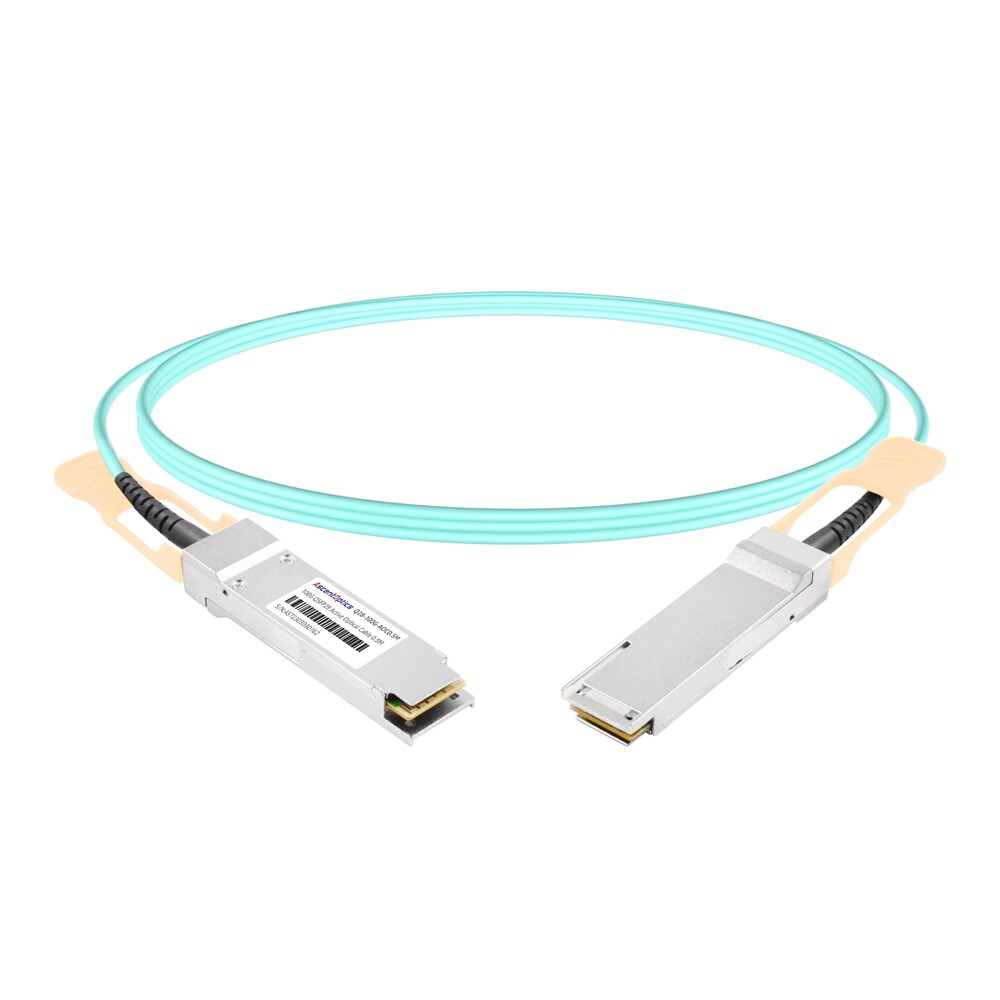
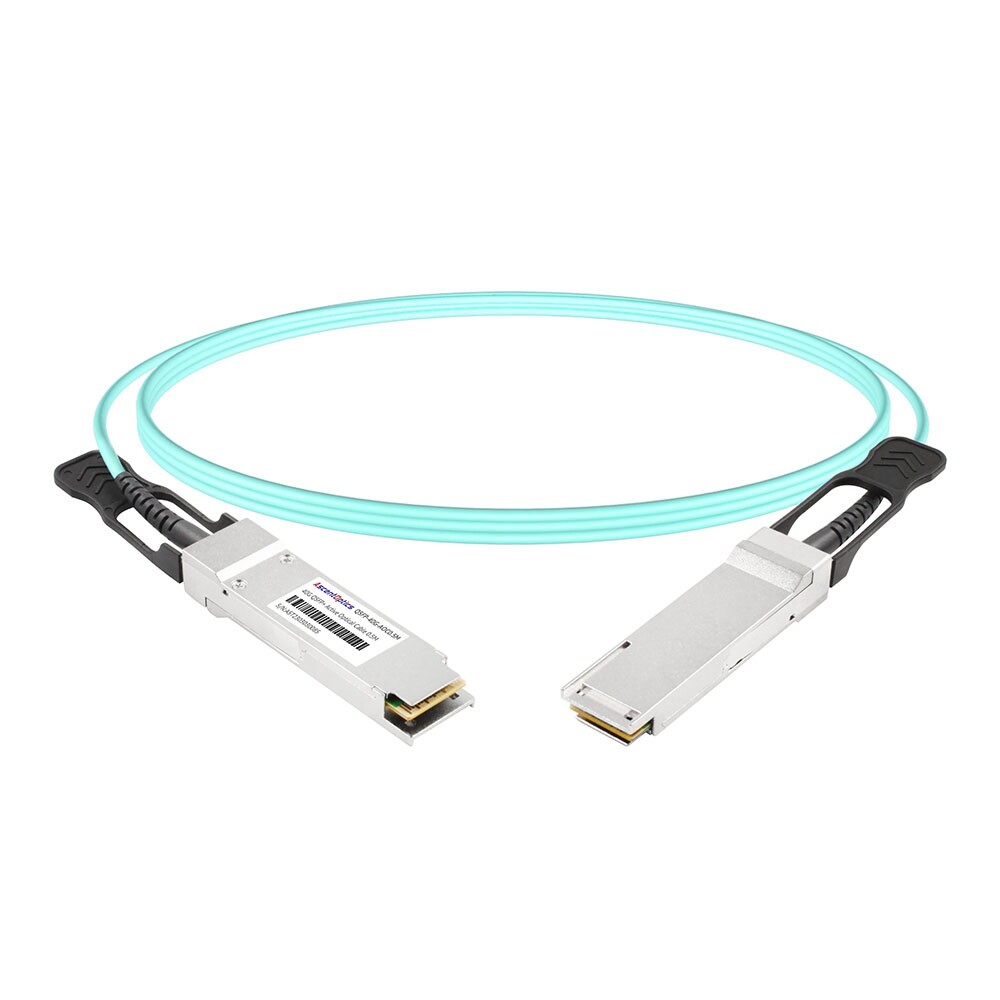
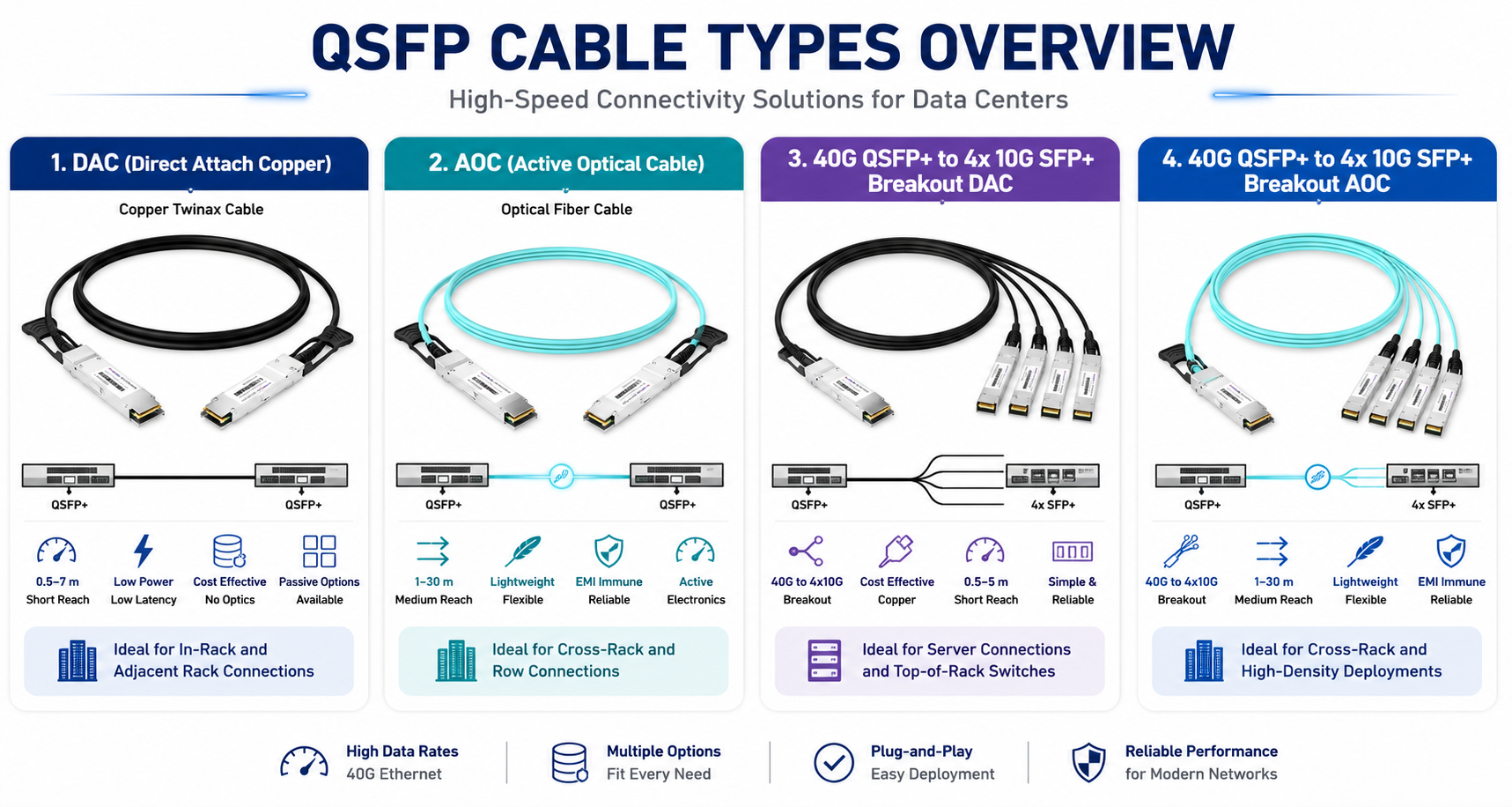
The term “QSFP cable” usually refers to either a direct attach copper cable or an active optical cable. A DAC uses copper twinax conductors for short links. An AOC uses optical fiber inside the cable jacket and integrates the electrical-to-optical conversion electronics inside the connector housings. Both options reduce the number of separate parts compared with using two pluggable transceivers plus fiber patch cords.
| Form Factor |
Typical Ethernet Speed |
Common Cable Assembly |
Typical Use |
| QSFP+ |
40G |
40G DAC, 40G AOC, 4x10G breakout |
Legacy data center aggregation and HPC links |
| QSFP28 |
100G |
100G DAC, 100G AOC, 4x25G breakout |
Modern 100G spine-leaf and server uplinks |
| QSFP56 |
200G |
200G DAC/AOC where supported |
200G transition links |
| QSFP-DD |
400G/800G depending generation |
400G/800G DAC, AOC, ACC, AEC where supported |
High-density cloud and AI network fabrics |
Key Features of QSFP Cables
- 1. High-density connectivity: QSFP cable assemblies combine multiple lanes in a compact connector, helping reduce front-panel space and cabling complexity.
- 2. High data rates: QSFP+ commonly supports 40G, while QSFP28 supports 100G. Newer QSFP56 and QSFP-DD generations support higher aggregate bandwidth where the host platform supports them.
- 3. Hot-pluggable design: QSFP cable assemblies can typically be inserted or removed without powering down the host device, which simplifies maintenance.
- 4. Multiple media options: Engineers can choose passive copper, active copper, active optical cable, or breakout cable assemblies depending on distance, power, cost, and port requirements.
- 5. Lower power for short links: Passive DACs consume very little power compared with optical solutions and are often the most economical option for short in-rack connections.
- 6. Flexible deployment: QSFP cables are used across Ethernet, InfiniBand, Fibre Channel, and other high-speed networking environments when the host platform and firmware support the cable type.
Applications of QSFP Cables
QSFP cables are widely used in data centers because they simplify high-speed interconnects between top-of-rack switches, spine switches, servers, storage arrays, and network adapters. They are especially common in short-reach links where buying separate optical transceivers is unnecessary or too costly.
In high-performance computing and AI clusters, QSFP and QSFP28 cable assemblies help connect compute nodes and switches with low latency and high port density. In telecom and enterprise networks, they are often used for aggregation links, switch interconnects, and migration from 10G/40G to 100G architectures.
How Does a Direct Attach Cable (DAC) Work?
What is a Direct Attach Cable?
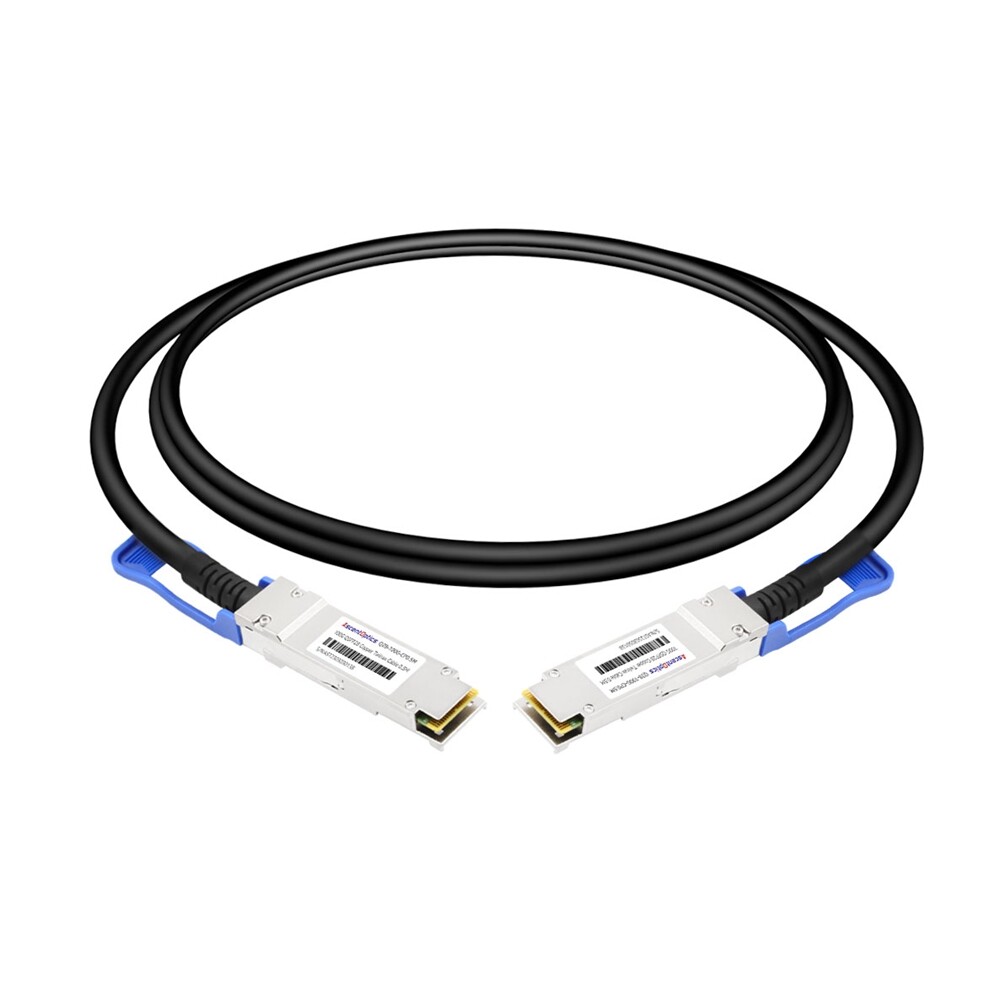
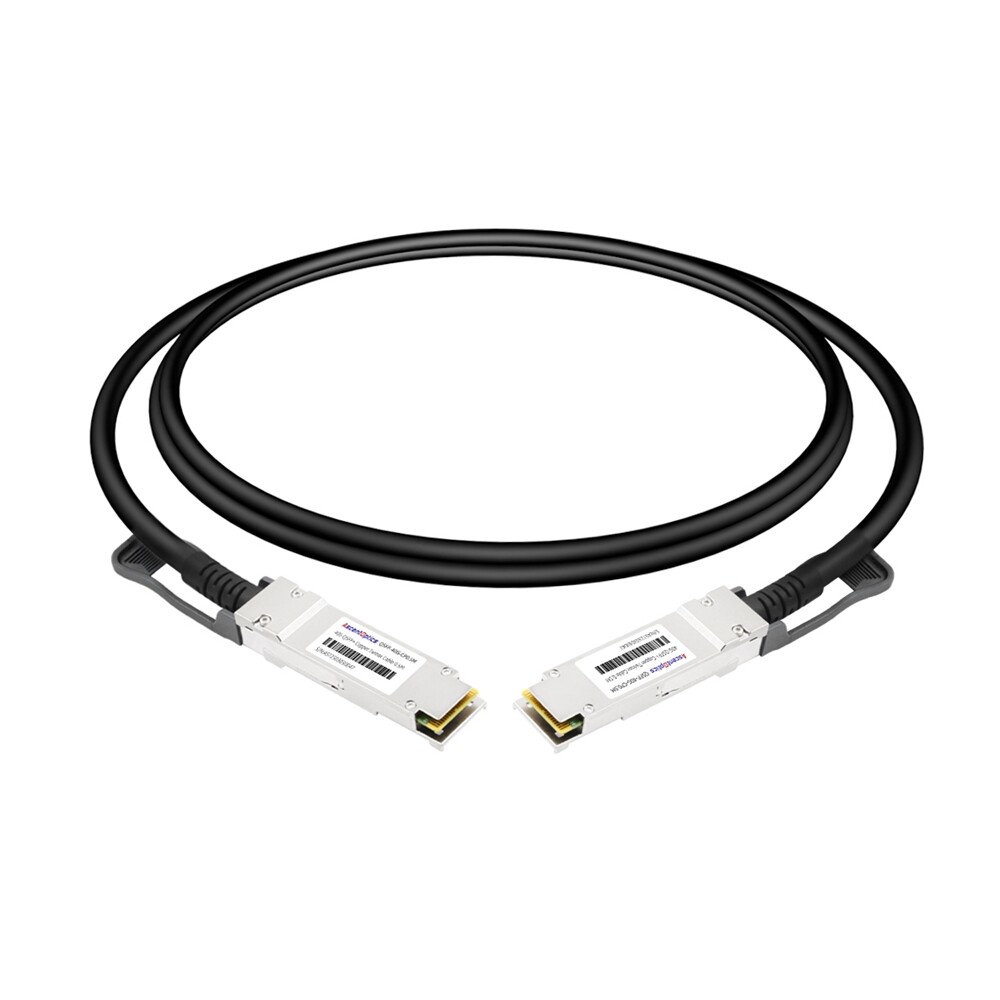
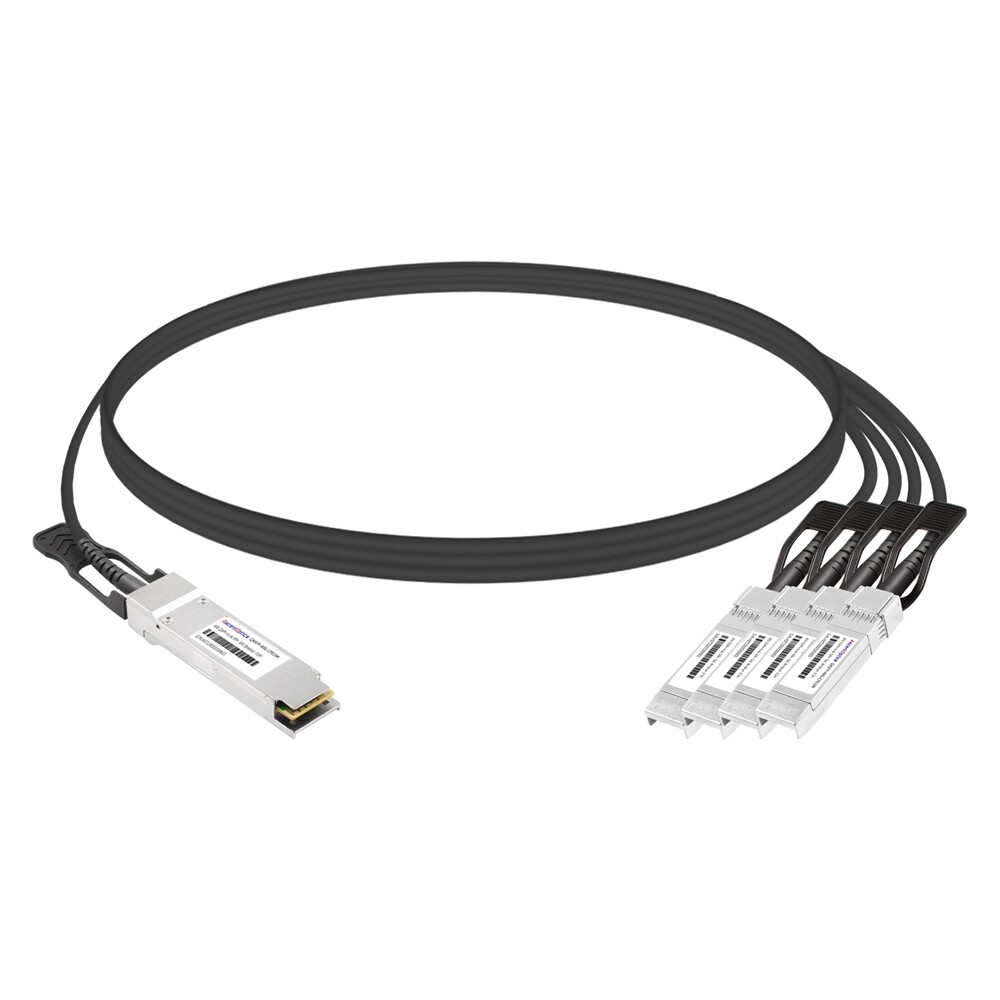
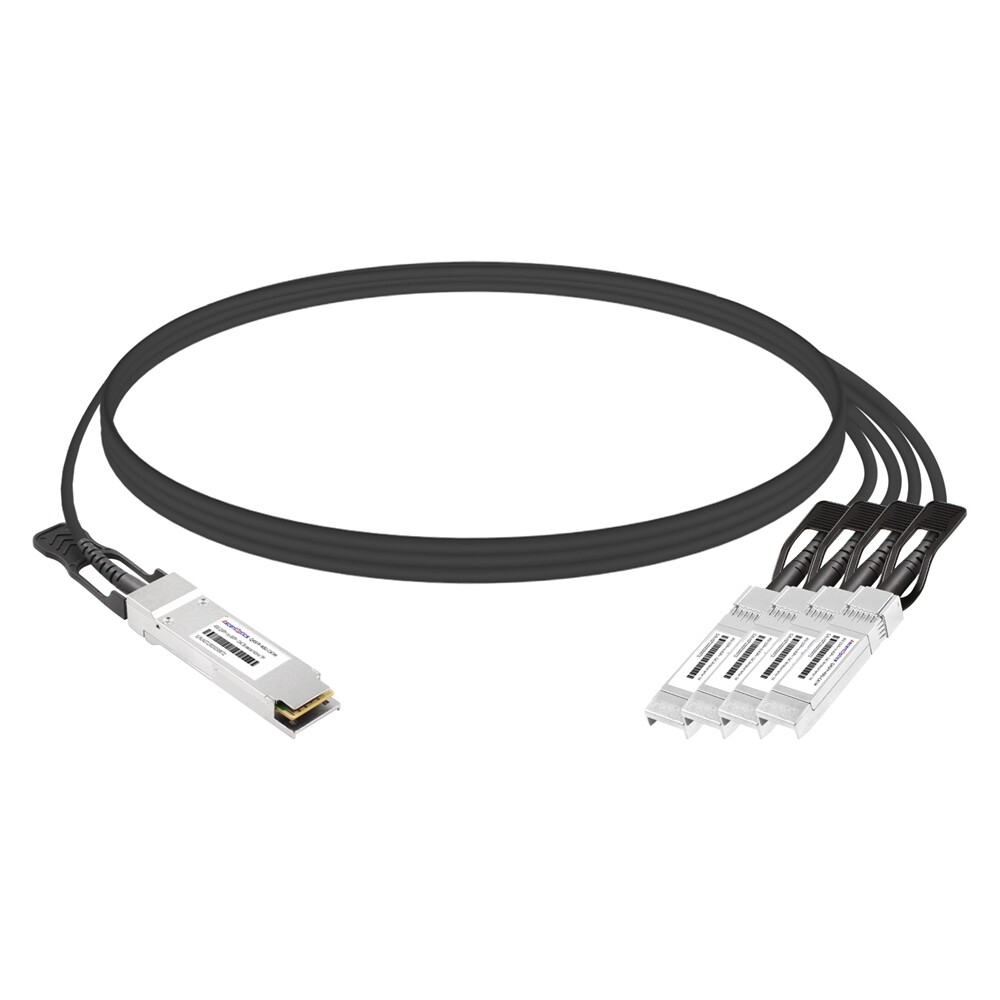
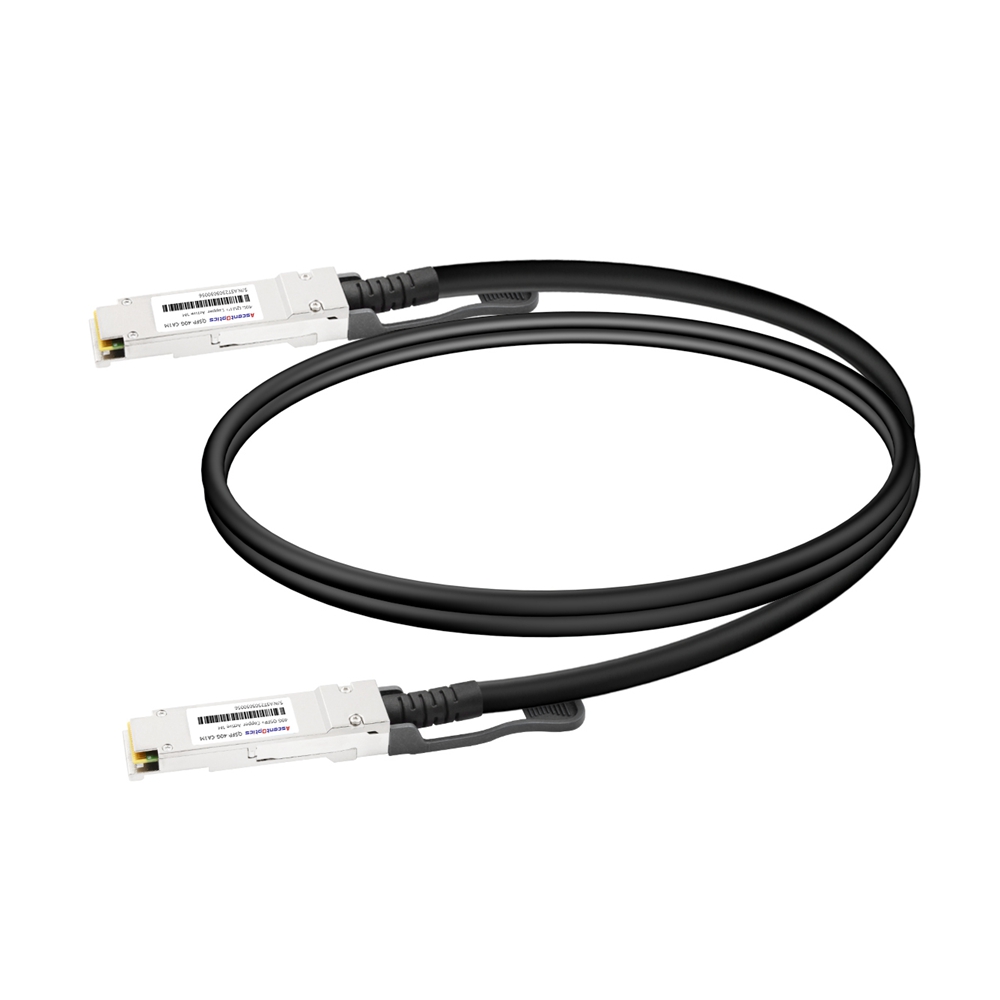
A direct attach cable is a factory-terminated cable assembly with QSFP connectors on one or both ends. It uses copper twinax conductors to carry high-speed electrical signals directly between devices. DACs are most common for short-distance connections inside the same rack or between adjacent racks.
Passive DACs contain no active signal-conditioning electronics. They are low-cost, low-power, and low-latency, but their practical reach is limited. Active DACs add electronics to improve signal integrity over longer copper runs, but they cost more and consume more power.
| Cable Type |
Typical Reach |
Power Use |
Best Fit |
Main Limitation |
| Passive DAC |
0.5 m to 3 m or 5 m; some platforms support up to 7 m |
Lowest |
In-rack and adjacent-device links |
Short reach and thicker cable |
| Active DAC / ACC |
Usually longer than passive DAC, platform-dependent |
Low to medium |
Short copper links needing extra reach |
More power and cost than passive DAC |
| AOC |
Commonly 1 m to 30 m; some vendors support longer |
Medium |
Across racks or rows where flexibility matters |
Higher cost than DAC |
| Optical transceiver + patch cord |
100 m to many kilometers depending optic |
Medium to high |
Structured cabling, DCI, campus, metro |
More parts and higher cost |
Advantages of DAC Cables
- •Cost efficiency: DACs are usually less expensive than optical transceiver pairs plus fiber patch cords.
- •Low latency: The electrical signal path is direct and simple, which is useful in performance-sensitive environments.
- •Low power consumption: Passive DACs do not require active optical conversion and therefore draw very little power.
- •Simple installation: A DAC is a single integrated assembly, so there are fewer parts to order, label, and troubleshoot.
- •Good signal integrity at short reach: When used within the supported length and platform specifications, DACs provide reliable high-speed links.
DAC vs. Active Optical Cable
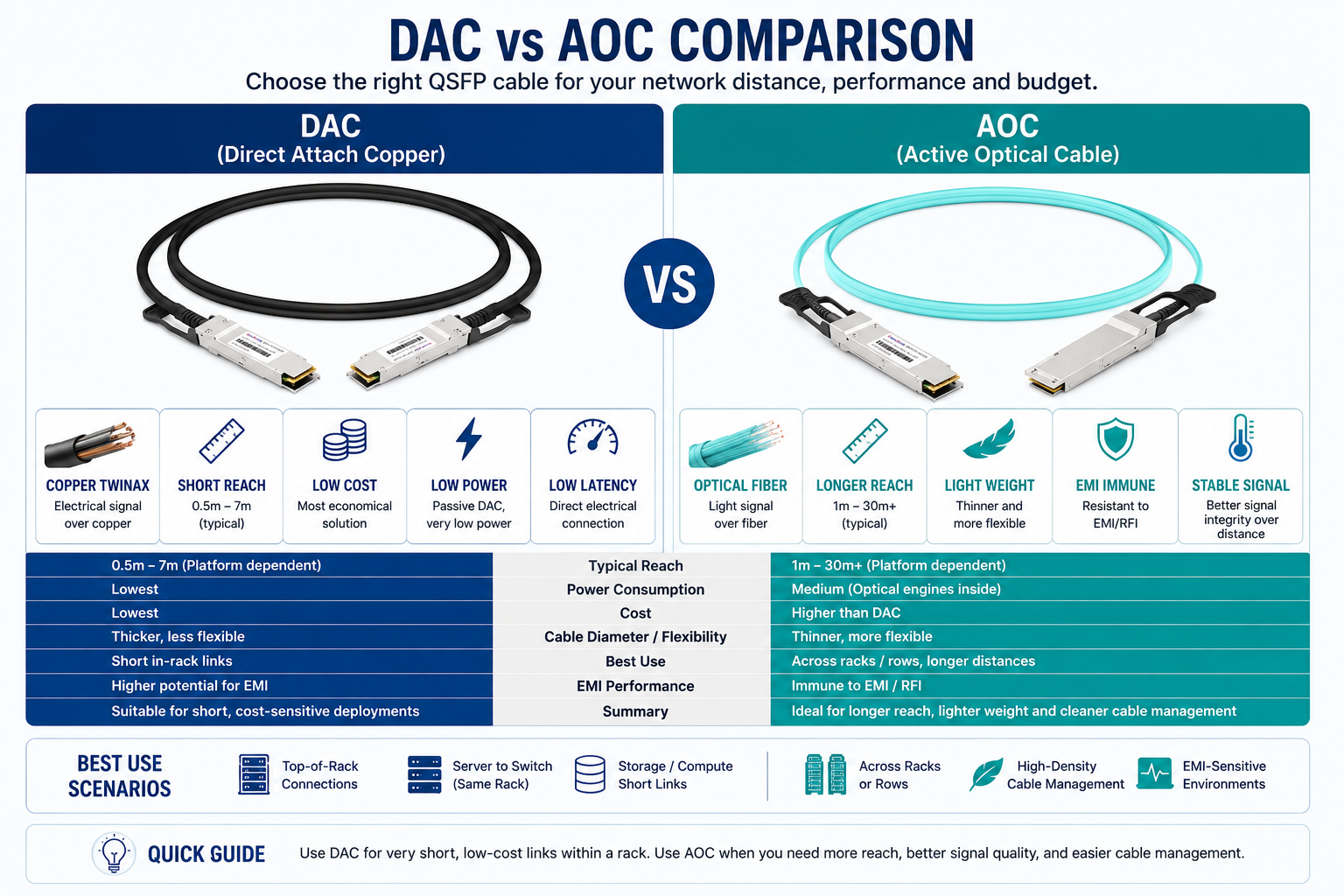
DAC and AOC assemblies solve different cabling problems. DACs are best when the distance is short, the budget is tight, and cable thickness is manageable. AOCs are better when the run is longer, airflow matters, or copper bulk creates routing problems. AOCs are also immune to electromagnetic interference because the data travels over fiber inside the assembly.
| Factor |
DAC |
AOC |
| Signal medium |
Copper twinax |
Optical fiber with electronics in the connector |
| Best distance |
Short in-rack or adjacent-rack links |
Longer in-row or cross-rack links |
| Cost |
Usually lower |
Usually higher |
| Cable weight/flexibility |
Thicker and heavier, especially at higher speeds |
Thinner and lighter |
| EMI performance |
More sensitive than fiber, especially in harsh environments |
Immune to EMI on the optical path |
| Power consumption |
Lowest for passive DAC |
Higher due to optical conversion |
What are the Different Types of QSFP Cables?
Passive Direct Attach Copper Cables
Passive QSFP DACs are short copper twinax cable assemblies used to connect switches, routers, servers, or storage devices. They are widely used in data centers because they provide high bandwidth at low cost and with minimal power consumption. Their main tradeoff is distance: as cable length increases, insertion loss and signal integrity become harder to manage.
Active Optical Cables
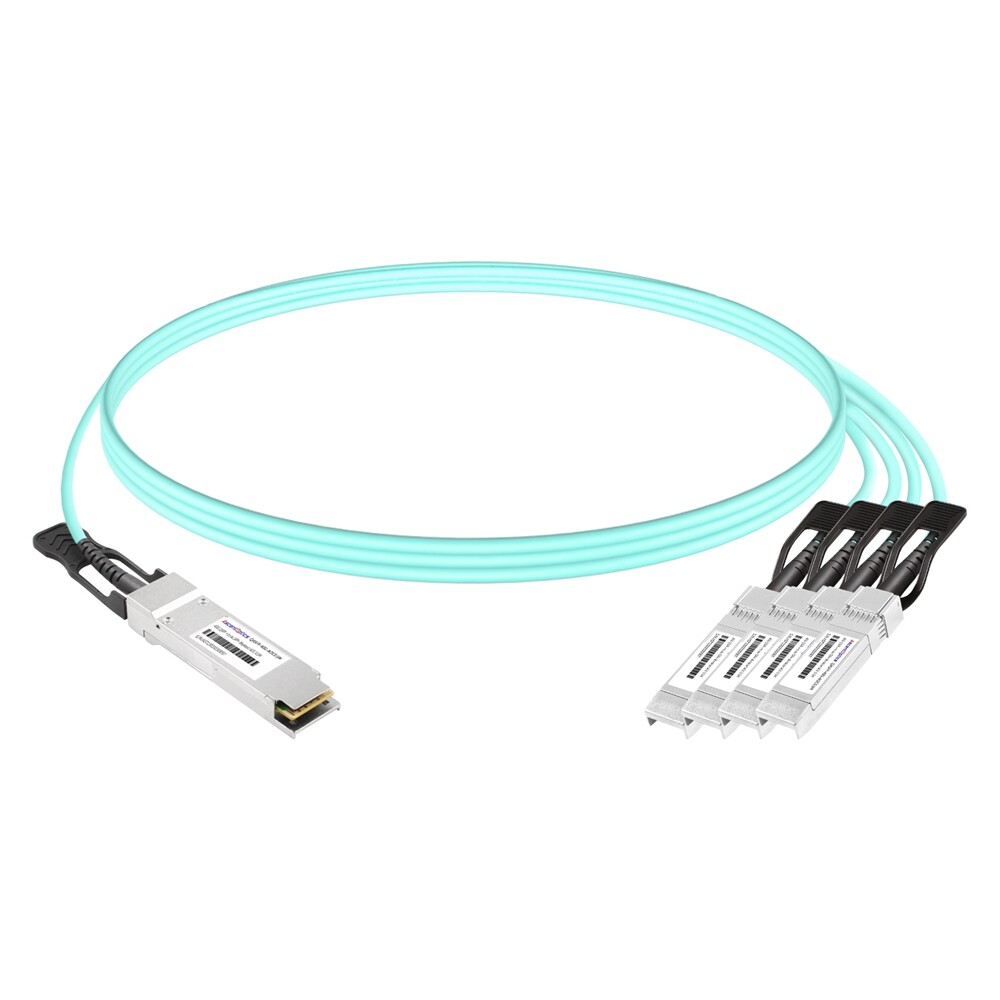
Active Optical Cables (AOCs) are advanced interconnect solutions that transmit data through optical fiber technology. It includes active electrical and optical elements, e.g., transmitter and receiver modules, which allow transmission in both electrical and optical signal formats. AOCs are primarily utilized in areas encompassing high-speed networking technologies and can transmit data for distances beyond more than 100 meters with improved bandwidth and signal quality.
They are beneficial in situations with high data rate requirements, such as a data center or compute high-performance systems. Although they are more expensive than passive options such as Direct Attach Cable (DAC), they can be used wherever cable management and total cable weight are concerned, as AOC is designed for a few cables.
Breakout Cables
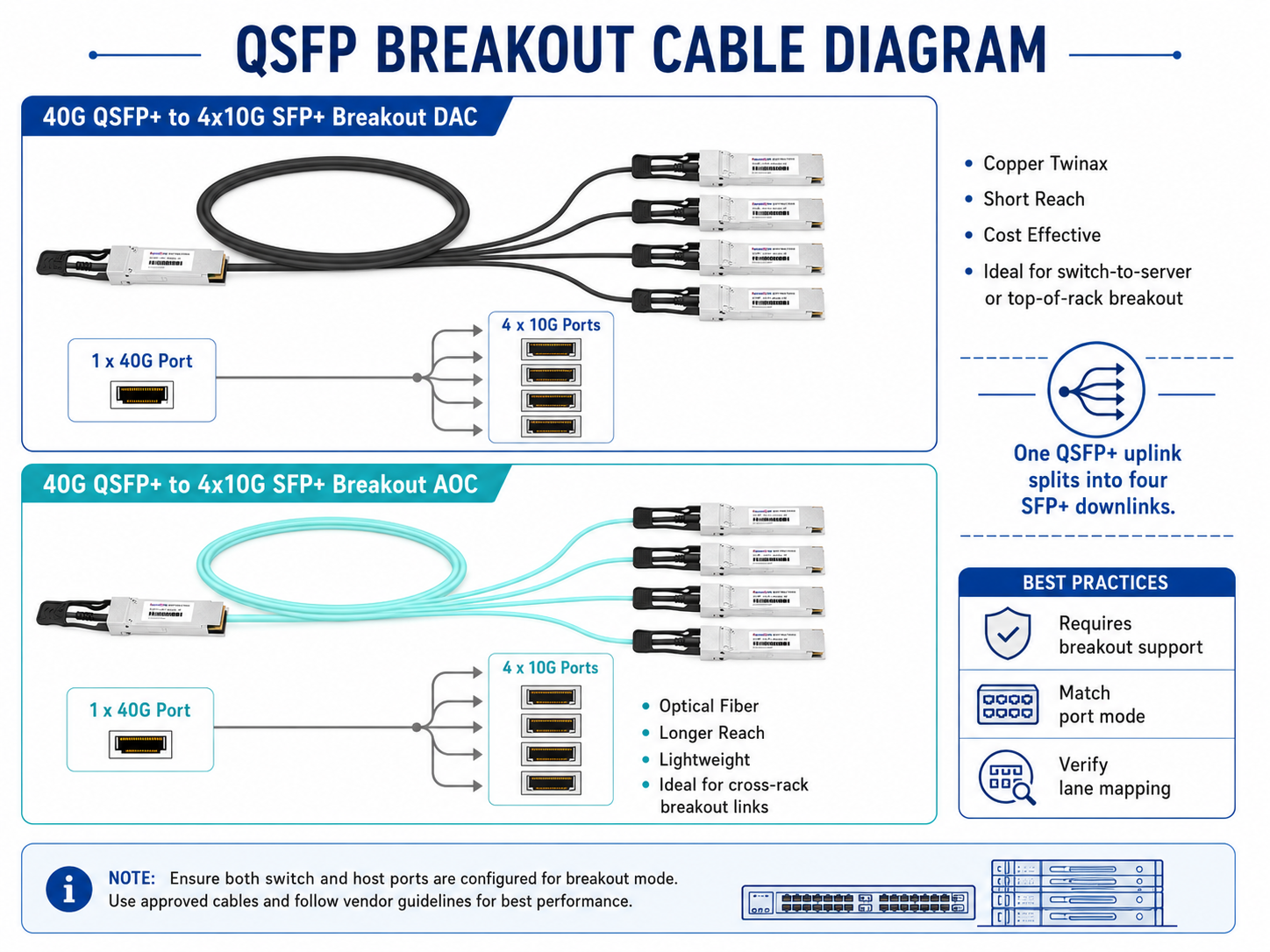
Breakout cables split one high-speed QSFP port into multiple lower-speed ports. A 40G QSFP+ port can break out into four 10G SFP+ links when the platform supports breakout mode. A 100G QSFP28 port can break out into four 25G SFP28 links. Breakout support depends on switch ASIC capabilities, port configuration, firmware, and the exact cable or module used.
Copper vs. fiber Optic Cables
Both copper and fiber optic cables have certain advantages, and it is important to highlight their key differences. For example, twisted pairs and coaxial cables are cheaper and easier to lay down comparatively; hence, they are effective in short-range communication and within consumer devices. However, they are distance-bound and are affected by electromagnetic interference, which is detrimental to signal clarity, especially when distances between terminals are long.
Contrariwise, fiber optic cables work on the principle of data transmission through light, thereby increasing data bandwidth and enabling faster data transfer over longer distances without degradation of quality. Magnetic waves do not influence them and enhance data protection since optical signals are difficult to access. The only disadvantage of fiber is that its installation cost is higher than that of copper; however, other costs tend to be lower in the future, including maintenance and people supporting other networks’ demands. Hence, fiber optics have become a perfect alternative in networking at enterprise levels or data-boosting organization uses.
What Are QSFP28 Cables?
Key Features of QSFP28
QSFP28 is the dominant form factor for 100G Ethernet cable assemblies and transceivers. It uses four electrical lanes at 25 Gbps each to deliver 100 Gbps aggregate bandwidth. QSFP28 cable assemblies are common for switch-to-switch links, server uplinks, storage fabrics, and 100G breakout designs.
- •100G aggregate bandwidth through four 25G lanes.
- •Compact form factor for high port density.
- •Support for DAC, AOC, and breakout cable assemblies where the platform supports them.
- •Lower power and cost for short links compared with optical transceiver pairs.
- •Breakout options such as 100G QSFP28 to 4x25G SFP28, subject to platform support.
Performance Capabilities: 100G and Beyond
The QSFP28 cable technology is designed to meet the requirements of a 100 Gbps data rate and has room for more advances in the expansion of optical systems, particularly Amphenol connector applications. This allows proper bandwidth use by transmitting it in several lanes, which is essential in a high-performance cable environment where cables are used to exploit next-generation performance. With the ever-increasing need for networking, societies are working round the clock to improve and develop new versions of QSFP technology that surpass 100G and bridge towards 200G, 400G. This technological growth will depend on the enhancement of signal integrity and transmission efficiency, and the QSFP28 technology already provides most of the basis for this, thus allowing positive growth and management in network systems that cause high levels of data traffic.
Use Cases for QSFP28 Cables
- •100G spine-to-leaf uplinks in data centers.
- •Switch-to-switch interconnects inside or between adjacent racks.
- •100G server or storage uplinks where the NIC supports QSFP28.
- •100G to 4x25G breakout connections for migration from 25G server access to 100G aggregation.
- •HPC and AI cluster links where 100G bandwidth is sufficient for the design.
How to choose the correct length for a QSFP cable?
Options from 1 Meter to 10 meters
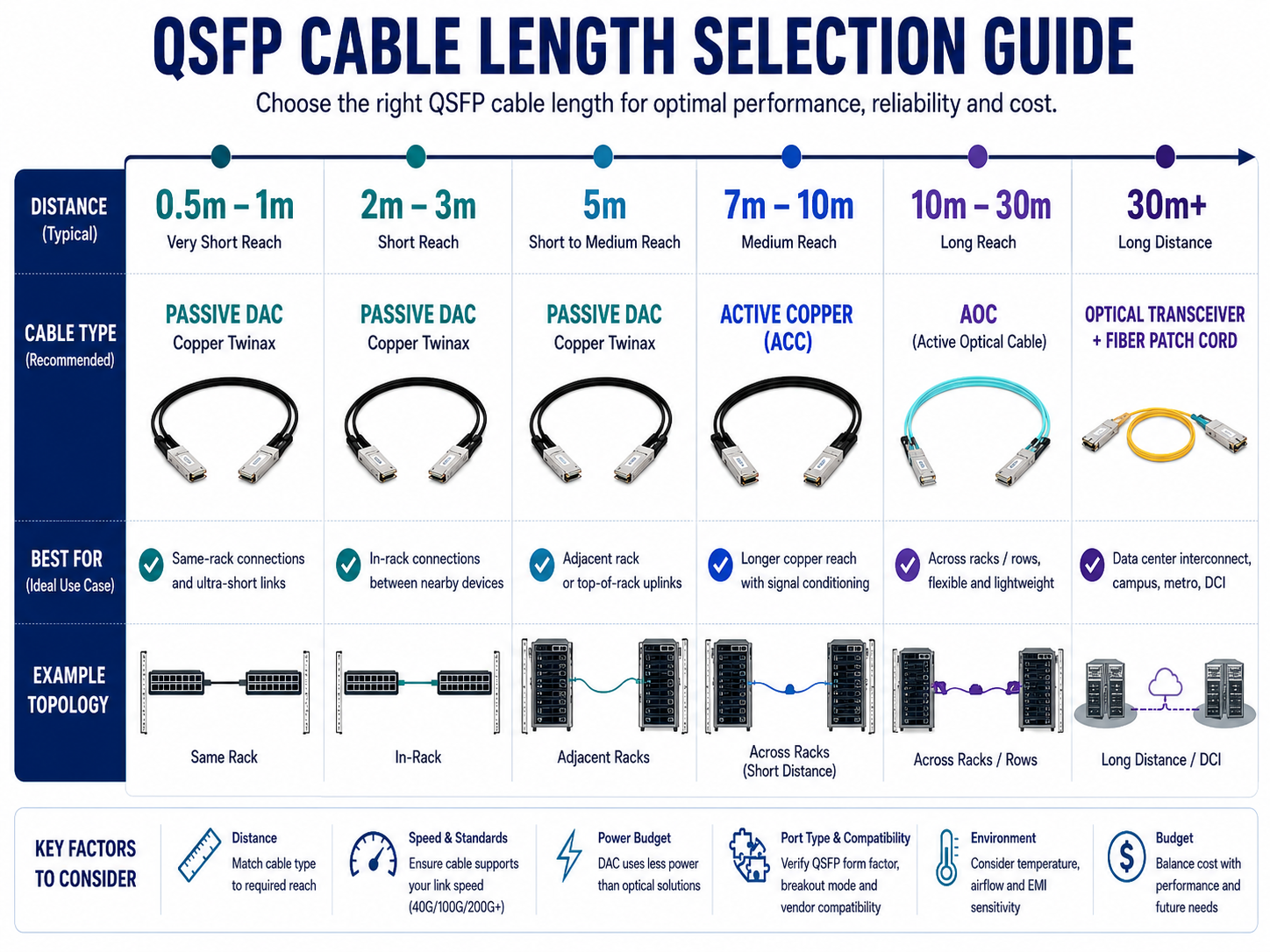
Several points must be considered when deciding on the appropriate length for the QSFP cables to prevent resource waste and improve the network setup’s efficiency. Normal QSFP28 cables range from 1 meter to 10 meters in length to suit different installation demands.
- •1 meter cables: This type is commonly used in the interconnection of devices in short range, particularly those using 1 meter cables. These cables reduce the amount of signal loss, which comes in handy when doing high-density rack installations.
- •3 Meter Cables: A standard length for those not-too-distant runs and, most often, medium-distance connections inside rack-mounted configurations. This length delightfully combines flexibility and good performance.
- •5 Meter Cables: These are often used in larger setups where the appliances will be arranged further apart. They have been developed to preserve similar signal quality when they are utilized further apart.
- •10 Meter Cables: These types of cables are also most suited for large areas or for connecting spacings between racks or data cabinets. They do not block airflow during the use of 10g technologies. However, although these and the like cables can be deployed at extensive distances, the proper conditions should be guaranteed so that reasonable delays do not occur owing to environmental interference, especially Too much electromagnetic radiation.
| Length |
Recommended Use |
Notes |
| 0.5 m to 1 m |
Same-rack device-to-device links |
Best for very short, clean front-panel routing |
| 2 m to 3 m |
Typical in-rack connections |
Common balance of reach and manageability |
| 5 m |
Adjacent-rack or wider cabinet routing |
Check passive DAC support carefully |
| 7 m to 10 m |
Longer copper or active copper runs |
Often requires active copper support |
| 10 m to 30 m |
AOC links across racks or rows |
Better airflow and flexibility than copper |
| 30 m+ |
AOC or optical transceiver design |
Check vendor limits and structured cabling needs |
To sum up, your decision must also conform to the particular configuration of your network in terms of distance and loss of quality. It is noteworthy that maintaining the right size improves performance and increases computer performance scaling.
Factors to Consider When Selecting Cable Length
Several aspects should be taken into account to establish the appropriate QSFP cable length with regard to performance and deployment:
- 1. Distance: Measure distance between devices in order to determine the necessary cabling solution. Longer distances generally mean that higher quality or specific types of cabling will be needed to avoid further losses.
- 2. Environment: Study the installation’s environment, checking for possible sources of electromagnetic interference that may degrade signal quality as the runs become longer.
- 3. Future Proofing: Consider the likelihood of network growth and device location changes in the future. For example, if the arrangement may change, it would help to pick slightly longer cables.
- 4. Installation Constraints: Determine factors such as cable tray or rack space that may determine the total cable length that can be used. Adequate and organized cabling reduces tangling and enhances cooling on the hardware setup.
- 5. Performance Specifications: Testing with the physical performance litmus entails finding appropriate cables for the targeted bandwidth and data rates for the applications in use since higher performance is usually dictated by precise length choices.
Careful planning regarding these factors, in particular, allows users to take the appropriate steps to make their network more reliable and scalable.
Best Practices for Cable Management
Proper network access management can make a difference in the functionality and appearance of a networking environment. The following are some of the best practices for cabling management:
- 1. Cable Labeling: It is advisable to attach labels to both ends of a cable to make it easier to trace where the maintenance or troubleshooting is done.
- 2. Cable Routing: Create a cable layout that incorporates routing the cables with fewer tight angles and avoids passing through other cables.
- 3. Use of Zip Ties and Clips: Weight-forcing elements such as tie wraps or clips are also useful to support bundles of wires, reducing clutter and limiting cords to certain portions of the area.
- 4. Airflow Management: Such cables need to be arranged to enable free circulation within the stacked hardware or equipment avoiding working against devices due to heat build up.
- 5. Cable Management Reviews: Then periodic reviews have to be carried out on the existing cable management systems, especially those that were built some time ago, because problems like wear, tangling of cables, or new upgrades are required.
By following these strategies, this team seeks to perform better, spend less maintenance time, and prolong the life cycle of their cabling assets.
Conclusion
QSFP cables are essential building blocks for high-speed data center connectivity. Passive DACs are the best choice for very short, low-cost links. Active copper cables extend copper reach when supported by the platform. AOCs provide lighter, more flexible connectivity for longer short-reach links, while breakout cables help bridge high-speed aggregation ports with lower-speed access ports.
The right QSFP cable depends on speed, distance, media type, switch compatibility, breakout requirements, airflow, and future migration plans. Before large-scale deployment, always verify the part number, port configuration, firmware support, and real-world link performance in the target environment.
Reference Sources
Small Form-factor Pluggable
Optical fiber
Cable television
Frequently Asked Questions (FAQs)
Q: What is a QSFP cable?
A: A QSFP (Quad Small Form-factor Pluggable) cable is a high-density, high-speed cable designed for use in a data center or networking environment. It can transmit four data channels within one connector.
Q: What are the different types of QSFP cables available?
A: Passive copper, active copper, and fiber optic are the basic categories of QSFP cables. Each category has unique capabilities, such as distance and speed.
Q: What is a 40G QSFP cable?
A: A 40G QSFP cable is a term used to ensure that 40 Gigabit Ethernet applications are fulfilled easily. The cable, in this case, handles high-speed data transfer. It finds extensive application in data centers and in high-performance computing activities.
Q: How long are QSFP cables typically?
A: QSFP cables are different in length from those made from passive copper cables, measuring between 0.5m and 3m. Longer lengths are possible for active optical cables.
Q: What are passive copper QSFP cables?
A: Passive copper QSFP cables offer an inexpensive yet productive method for device interconnection within a small range, usually three meters. These cables do not have power, which is an essential plus for passively direct-attached copper Twinax solutions.
Q: Explain the function of a twinax cable; what is it generally used for?
A: A twinax cable is a short, low-cost cable designed for high-speed data communication, where short distances typically exist within the data center and are usually utilized in QSFP applications. Also, when it can be designated as standard Ethernet cabling, the use of such is minimal, and therefore, the application stresses further […]
Q: Is Fpks Nebim’s single floodlight compatible with ISE sfp ports?
A: No, QSFP cables cannot be connected to SFP ports. Some products, such as QSFP to SFP+ transceivers, are adapted to effect communication between these isolated standards.
Q: What applications are QSFP cable assemblies best used for?
A: QSFP cable assemblies can accommodate applications suitable for high-speed interconnects and data center bridging solutions, including 40G Ethernet, InfiniBand, and other computing environments.
Q: What is a 100G QSFP28 cable?
A: A 100G QSF-P28 cable uses 100 Gbps (1OOGE) Ethernet and has a higher data throughput capability than 40G QSF-P cables. It has become the standard in many technical locations that need more bandwidth.
Q: Are there QSFP cables that are compatible with Cisco?
A: Absolutely. There are kinds of angled twinax QSFP cables for Cisco that co-work with corresponding Cisco products, such as schematic ones.
Post Views: 8,070