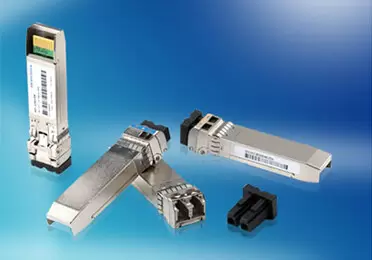
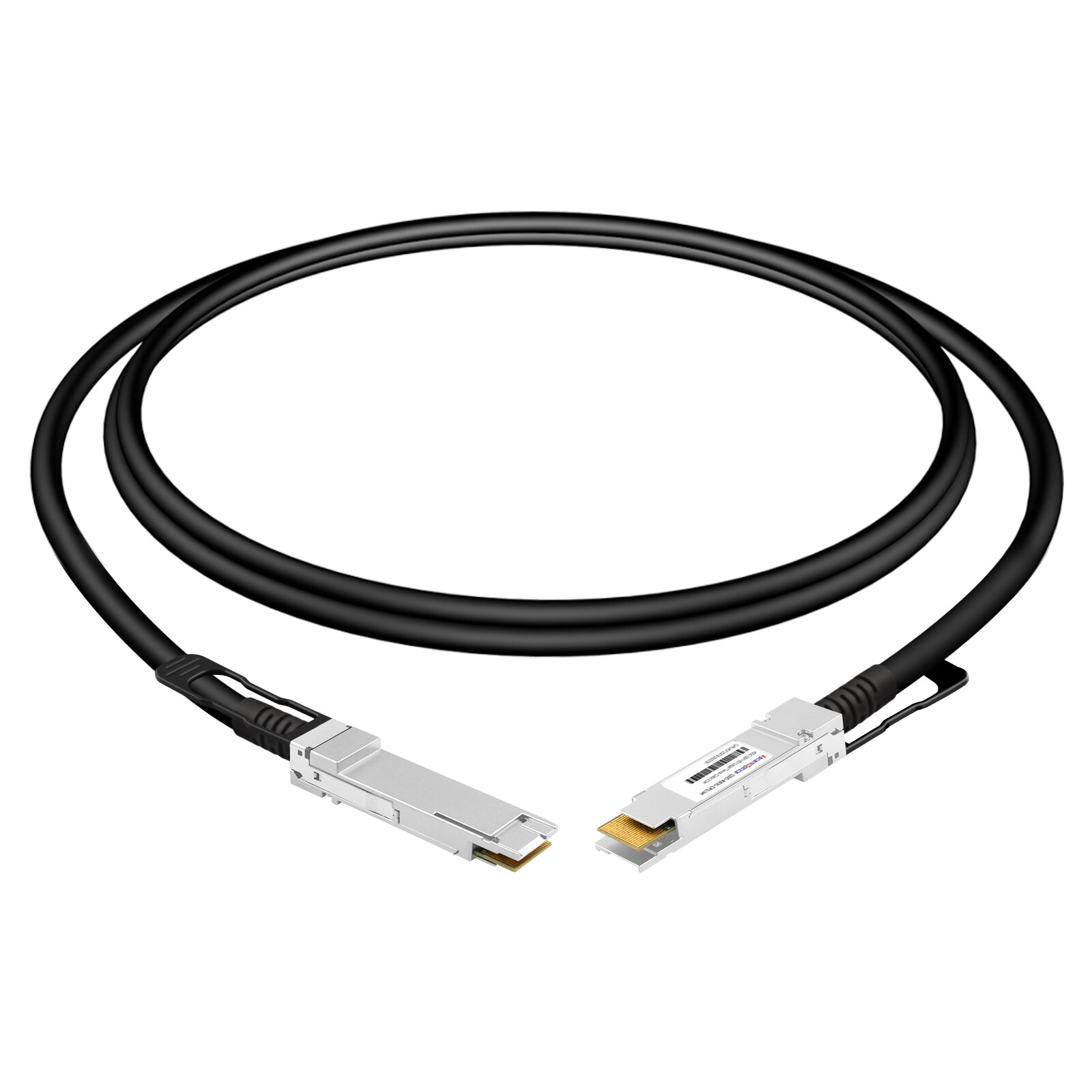
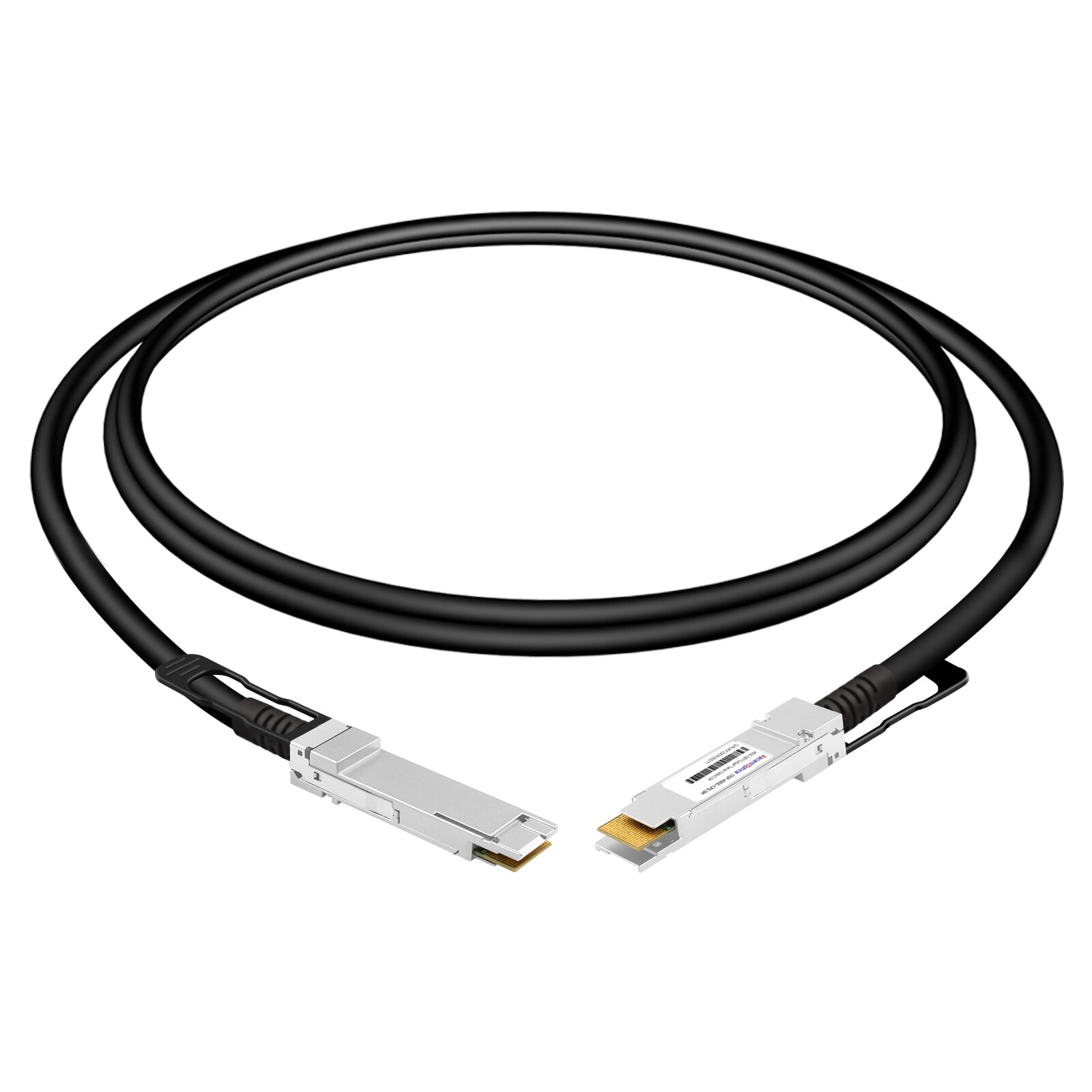
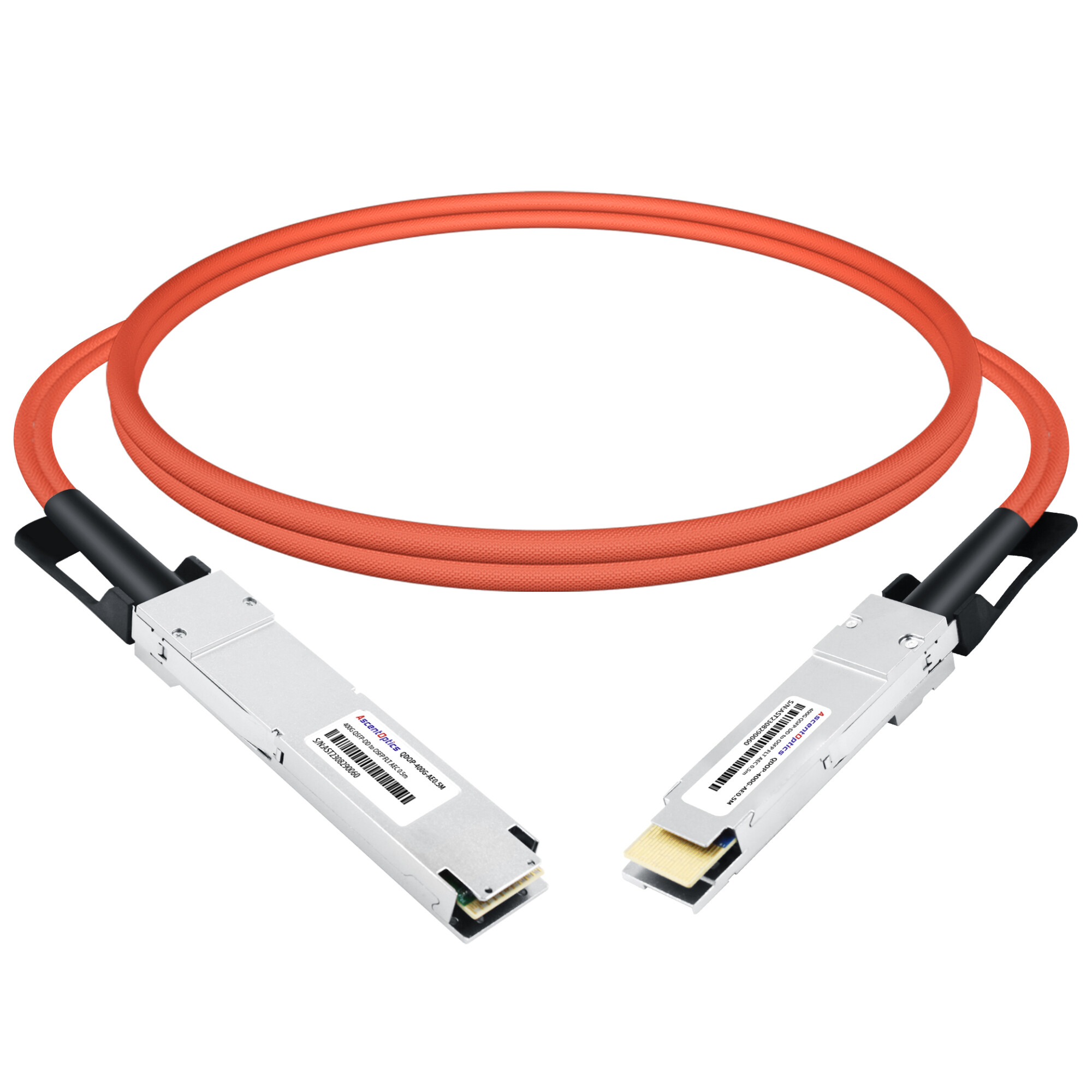
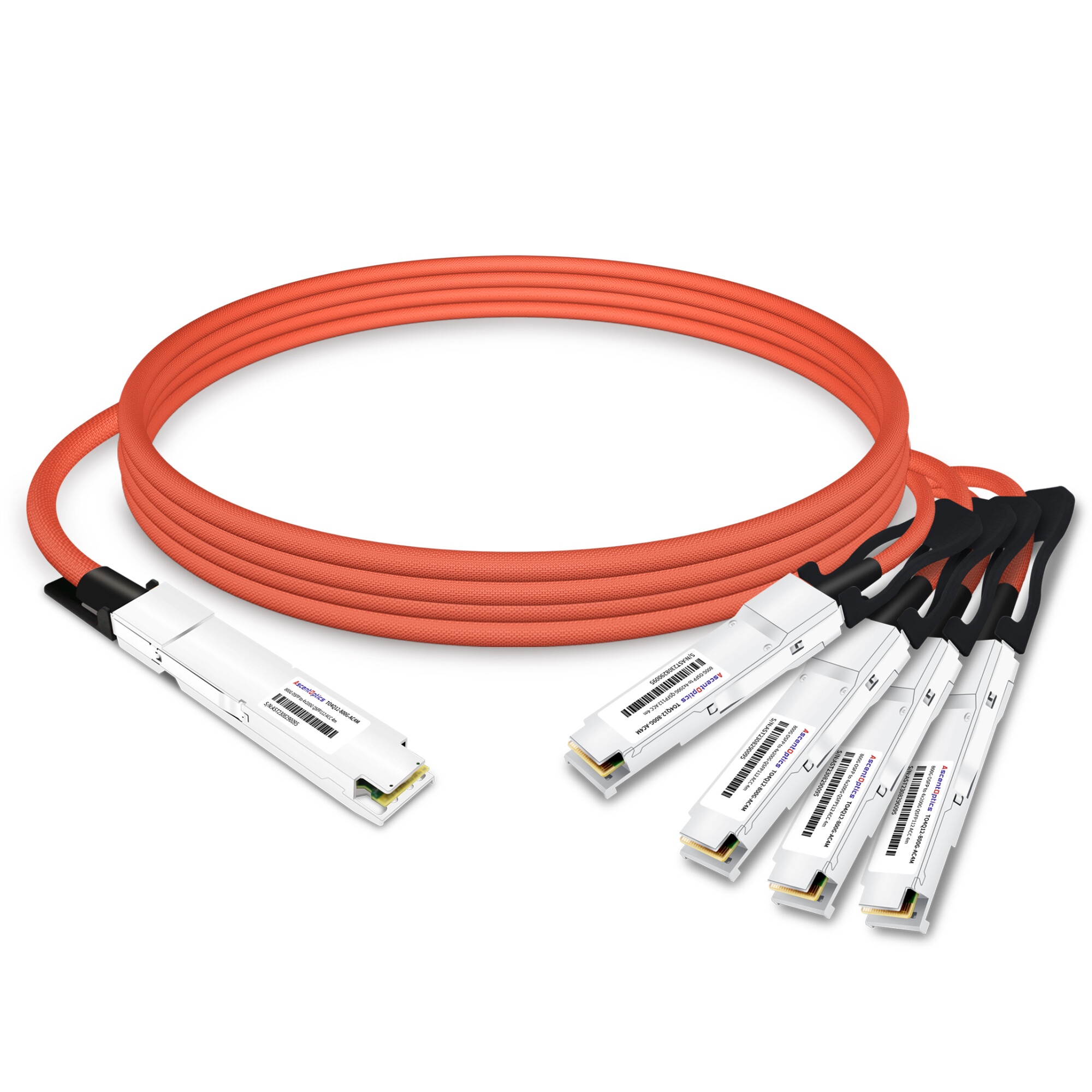
DAC cable—or Direct Attach Copper cables—are components designed for short-range, high-speed data center interconnects. Featuring fixed connectors pre-installed at both ends, they connect directly to switches, servers, and storage devices without the need for separate optical modules. Offering low cost, low power consumption, low latency, and plug-and-play functionality, they are an economical and efficient high-speed transmission solution suitable for 10G, 25G, 40G, and 100G connections within a single rack or between adjacent racks.
What Is a DAC Cable?
A DAC cable, short for Direct Attach Copper, is a factory-terminated twinax copper assembly with a transceiver-style connector molded onto each end. Those connectors look and plug in exactly like optical modules, but there’s no optics inside. The signal stays electrical from port to port.
That single design choice is what makes a DAC cable so practical. You don’t buy two transceivers, you don’t buy fiber, and you don’t polish or splice anything. The whole link arrives ready to plug in.
How a DAC Cable Works
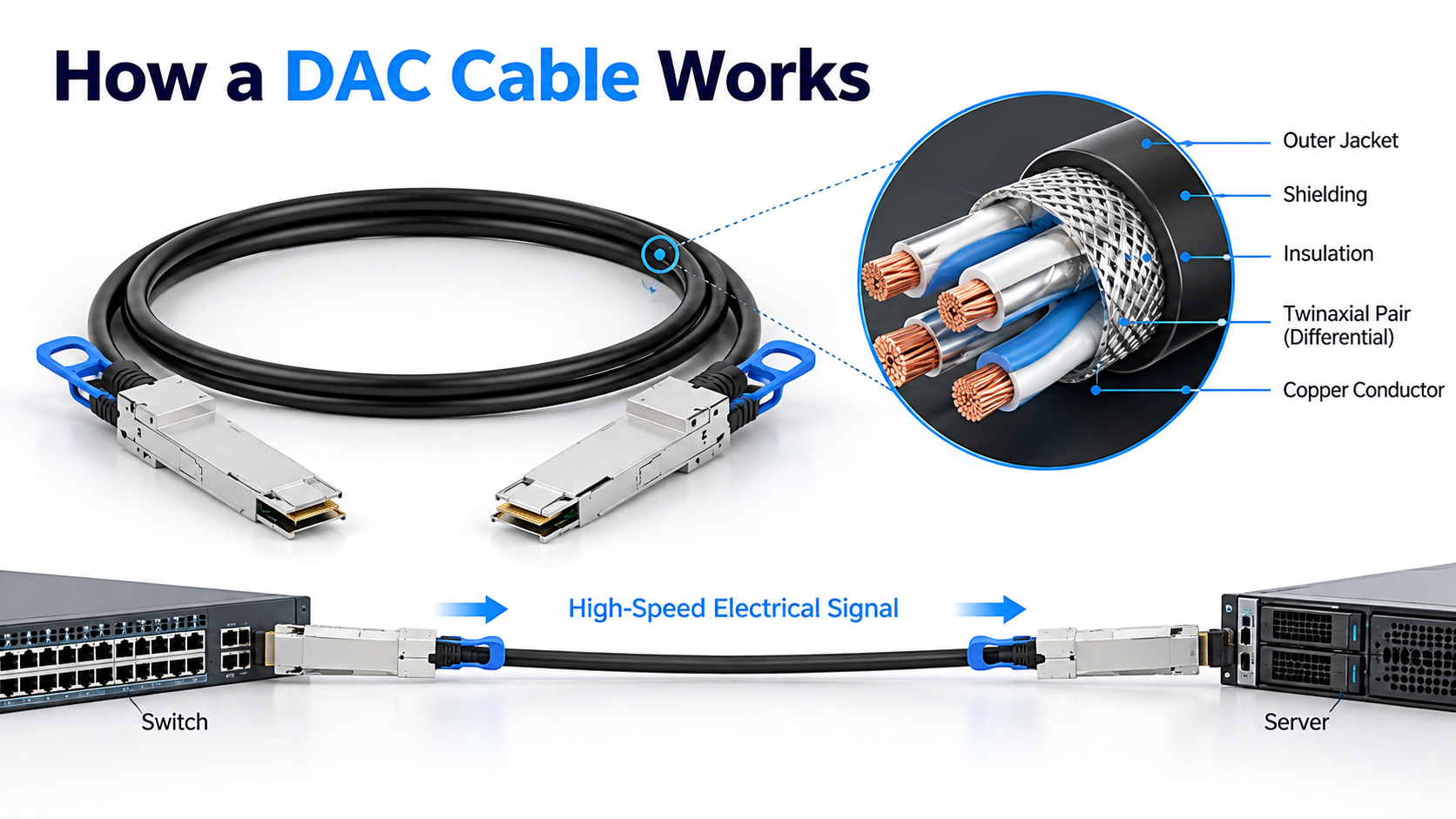
Inside a direct attach copper cable, twinaxial wiring carries the high-speed electrical signal. Each twinax pair uses a shielded, differential construction that keeps crosstalk and electromagnetic interference low enough for short runs.
Because the transceiver electronics are built into the connector, the host switch or NIC sees a standard interface. It has no idea whether the far end is copper or glass. DAC cables use integrated connectors designed for compatible host ports, eliminating the need for separate optical transceivers and fiber patch cords. However, physical fit does not guarantee interoperability. The cable’s data rate, form factor, vendor coding, and host-platform compatibility must all be verified before deployment.
Why Copper Stays Short-Reach
Copper resists high-frequency signals far more than fiber does. As data rates climb, that resistance, known as insertion loss, eats into the signal faster. At 25G per lane, it’s manageable. At 112G per lane, the signal degrades so quickly that passive copper is only useful across a meter or two.
This is the core trade-off. A DAC cable buys you the lowest cost, lowest power, and lowest latency, but only over short distances. Fiber takes over the moment the run gets long.
DAC Cable Types: Passive, Active, and AEC
Not all direct attach copper is the same. There are three distinct categories, and mixing them up is a common source of cabling mistakes.
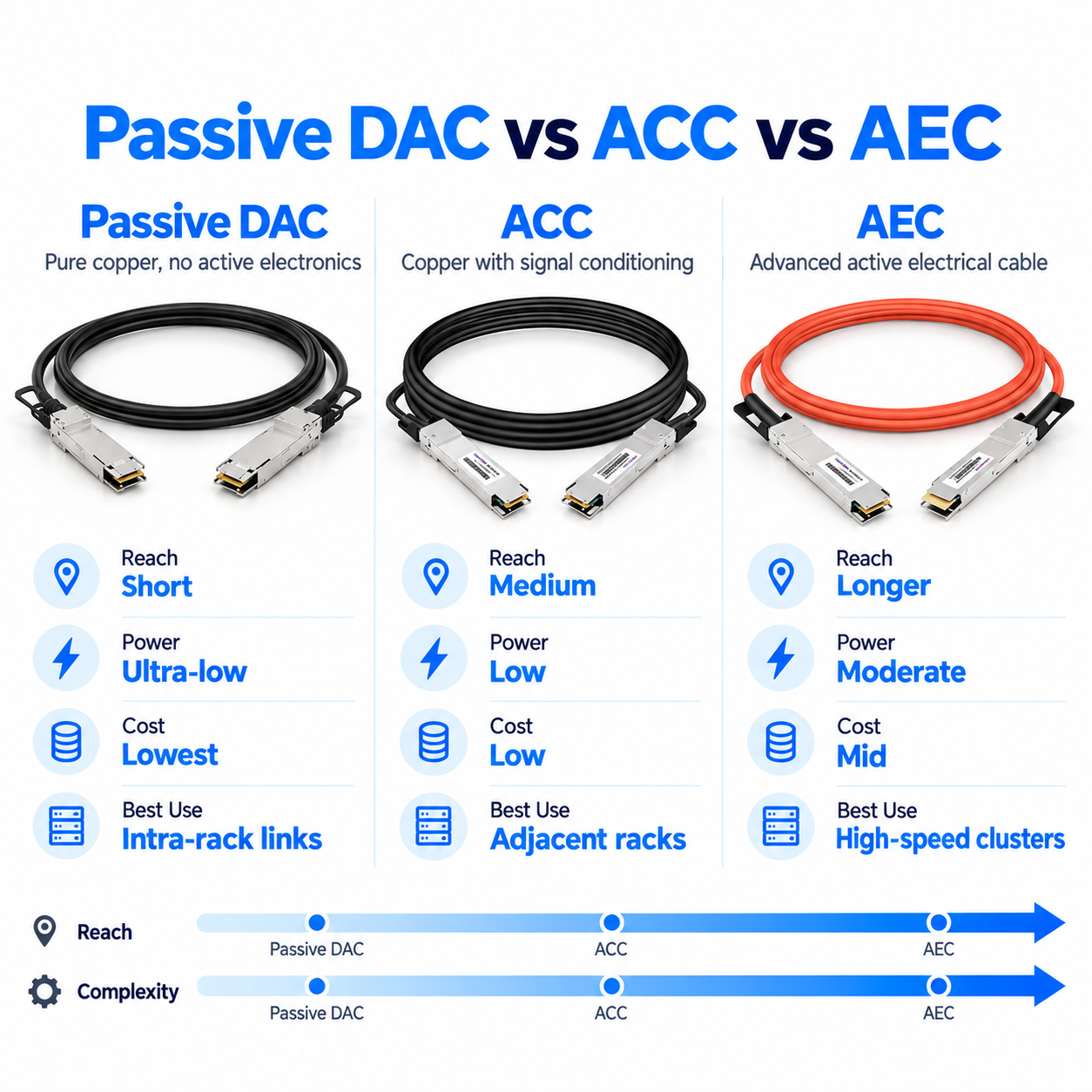
Passive DAC Cables
A passive DAC cable is pure copper with no active electronics in the connectors. The signal travels through twinax wire and nothing else.
Passive DAC cables offer the lowest cost of any interconnect, draw essentially no power, and add almost no latency. Their reach is limited, typically 5 to 7 meters at 10G or 25G, and it shrinks sharply as speed increases.
Active Copper Cables (ACC)
Active copper cables incorporate electronic circuitry to improve signal integrity and extend reach compared with passive DAC cables. Depending on the design, the circuitry may provide equalization or other signal-conditioning functions.
ACC cables are useful when passive copper cannot meet the required reach or signal-integrity margin. Their supported distance, power consumption, and host compatibility depend on the cable design and data rate.
Active Electrical Cables (AEC)
AECs use active electrical signal processing to support high-speed connections over copper. Many AEC designs incorporate retiming or advanced signal conditioning to compensate for channel losses and improve signal quality.
AECs are particularly relevant to high-bandwidth data center and AI infrastructure, where low latency, power efficiency, cable routing, and port density all matter. Actual reach and power consumption vary by product and supported link configuration.
Passive vs Active DAC: How to Choose
The rule is simple. Under about 3 to 5 meters, use a passive DAC cable. Between 5 and 15 meters, step up to active copper or an AEC. Beyond that, copper stops making sense, and you shift to optics.
DAC Cable Speeds and Form Factors
A DAC cable comes in whatever form factor matches the port. Understanding the generations helps you map speed to connector type at a glance.
SFP+ and SFP28 DAC (10G and 25G)
SFP+ DAC cables handle 10 Gigabit Ethernet, while SFP28 DAC cables carry 25G. These are the workhorses of server-to-top-of-rack links, where reach is short, and density is moderate. Passive versions routinely hit 5 to 7 meters here.
QSFP+ and QSFP28 DAC (40G and 100G)
QSFP+ DAC cables support 40G, and QSFP28 DAC cables support 100G. This is where direct attach copper becomes the default choice for intra-rack switch-to-switch and server uplinks.
QSFP56 and QSFP-DD DAC (200G and 400G)
QSFP56 DAC cables carry 200G, and QSFP-DD DAC cables handle 400G by doubling the lanes. At these speeds, passive reach tightens to about 2 to 3 meters, so active copper and AECs become more common for anything longer.
OSFP DAC (400G and 800G)
OSFP DAC cables serve the 400G and 800G generation, especially in AI and hyperscale environments. At 800G, passive copper is effectively a 1 to 2 meter solution. Beyond that, the industry leans on active copper or optics.
Speed-to-Reach Reference Chart
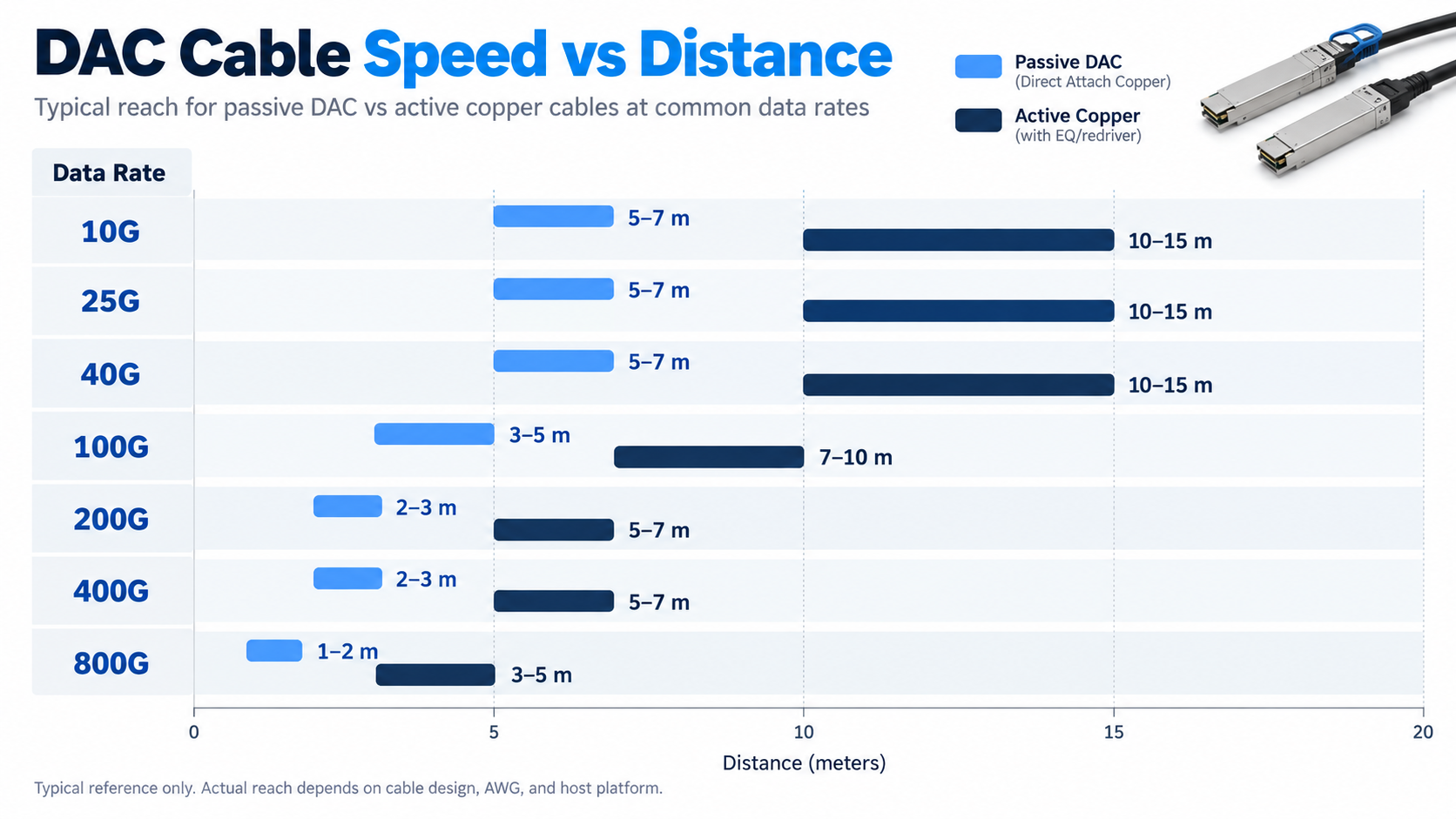
Here’s a practical reference for how far a passive DAC cable can typically reach at each rate.
| Data Rate |
Common Form Factor |
Typical Passive DAC Reach |
Active Copper Reach |
| 10G |
SFP+ |
5–7 m |
10–15 m |
| 25G |
SFP28 |
5–7 m |
10–15 m |
| 40G |
QSFP+ |
5–7 m |
10–15 m |
| 100G |
QSFP28 |
3–5 m |
7–10 m |
| 200G |
QSFP56 |
2–3 m |
5–7 m |
| 400G |
QSFP-DD / OSFP |
2–3 m |
5–7 m |
| 800G |
OSFP |
1–2 m |
3–5 m |
The distances above are indicative examples, not universal limits or guaranteed reach specifications. Actual supported lengths depend on cable construction, AWG, signal integrity, host interface design, and vendor qualification. Always verify the maximum supported length for the specific cable and host platform before deployment.
DAC Cable Distance and Reach Limitations
The most common question engineers ask is, “How far can a DAC cable go?” The honest answer is, “Shorter than you might hope, and shorter every time the speed doubles.”
Why Reach Shrinks at Higher Speeds
Modern high-speed links use PAM4 modulation to pack more bits into each signal. PAM4 is far more sensitive to noise and signal loss than the older NRZ scheme. At 112G per lane, the signal degrades to the point where only very short, well-built copper can meet the bit-error-rate budget.
This is physics, not a product limitation. No vendor can make an 800G passive DAC cable reach 10 meters and still pass error-free.
AWG and Construction Impact
Cable gauge matters more than most people expect. Thicker conductors, indicated by a lower AWG number, carry signal farther but make the cable stiffer and harder to route in dense racks. A 30 AWG DAC cable is more flexible but shorter-reach than a 26 AWG equivalent.
There’s a real trade-off between reach and manageability. In a dense AI cluster, cable stiffness can be as important as cable length.
DAC Cable Distance and Reach Limitations
The most common question engineers ask is, “How far can a DAC cable go?” The honest answer is, “Shorter than you might hope, and shorter every time the speed doubles.”
Why Reach Shrinks at Higher Speeds
Modern high-speed links use PAM4 modulation to pack more bits into each signal. PAM4 is far more sensitive to noise and signal loss than the older NRZ scheme. At 112G per lane, the signal degrades to the point where only very short, well-built copper can meet the bit-error-rate budget.
This is physics, not a product limitation. No vendor can make an 800G passive DAC cable reach 10 meters and still pass error-free.
AWG and Construction Impact
Cable gauge matters more than most people expect. Thicker conductors, indicated by a lower AWG number, carry signal farther but make the cable stiffer and harder to route in dense racks. A 30 AWG DAC cable is more flexible but shorter-reach than a 26 AWG equivalent.
There’s a real trade-off between reach and manageability. In a dense AI cluster, cable stiffness can be as important as cable length.
DAC vs AOC vs Optical Transceiver: Which Should You Choose?
This is the decision that actually determines your cost and power profile. Let’s break it down across the four factors that matter most.
Distance: When Copper Is Enough
Passive DAC handles the shortest links, active copper extends a bit, and AOC stretches to roughly 100 meters. Full optical transceivers with fiber go from 70 meters all the way to 80 kilometers and beyond.
Power Consumption Compared
Passive DAC cables have negligible cable-level power consumption because they contain no active signal-processing electronics. Active copper cables and AECs consume additional power for signal conditioning or retiming, while AOCs and optical transceivers require power for their active optical and electrical components.
Actual power consumption varies by data rate, product architecture, and operating conditions. For an accurate comparison, use the manufacturer’s specifications and compare power on a consistent per-cable or per-end basis.
Cost Compared
A passive DAC cable is the cheapest option, often less than a third the cost of an equivalent fiber link. AOCs typically run two to five times the price of passive copper at the same length. Two optical transceivers plus fiber are the most expensive path, especially at higher speeds.
Latency, EMI, and Reliability
Copper avoids the photoelectric conversion step, so a passive DAC cable adds near-zero latency. Fiber is immune to electromagnetic interference, while copper is merely resistant to it. And because passive copper has no optical components and no electronics, its mean time between failures is exceptionally high.
Three-Way Decision Matrix
Here’s the short version of the whole article in one table.
| Interconnect |
Typical Reach |
Power per End |
Relative Cost |
Best Use Case |
| Passive DAC |
Up to ~5 m |
<0.15 W |
Lowest |
Intra-rack, server-to-ToR |
| Active Copper / AEC |
~5–15 m |
1.5–2.5 W |
Low |
Adjacent racks, longer copper |
| AOC |
~1–100 m |
1–17 W |
Medium |
Mid-reach, EMI-sensitive areas |
| Optical Transceiver |
70 m – 80 km+ |
3.5–30 W |
Highest |
Long runs, structured cabling |
DAC Cable Applications and Deployment Scenarios
Understanding where each cable type fits in the real world makes the decision concrete.
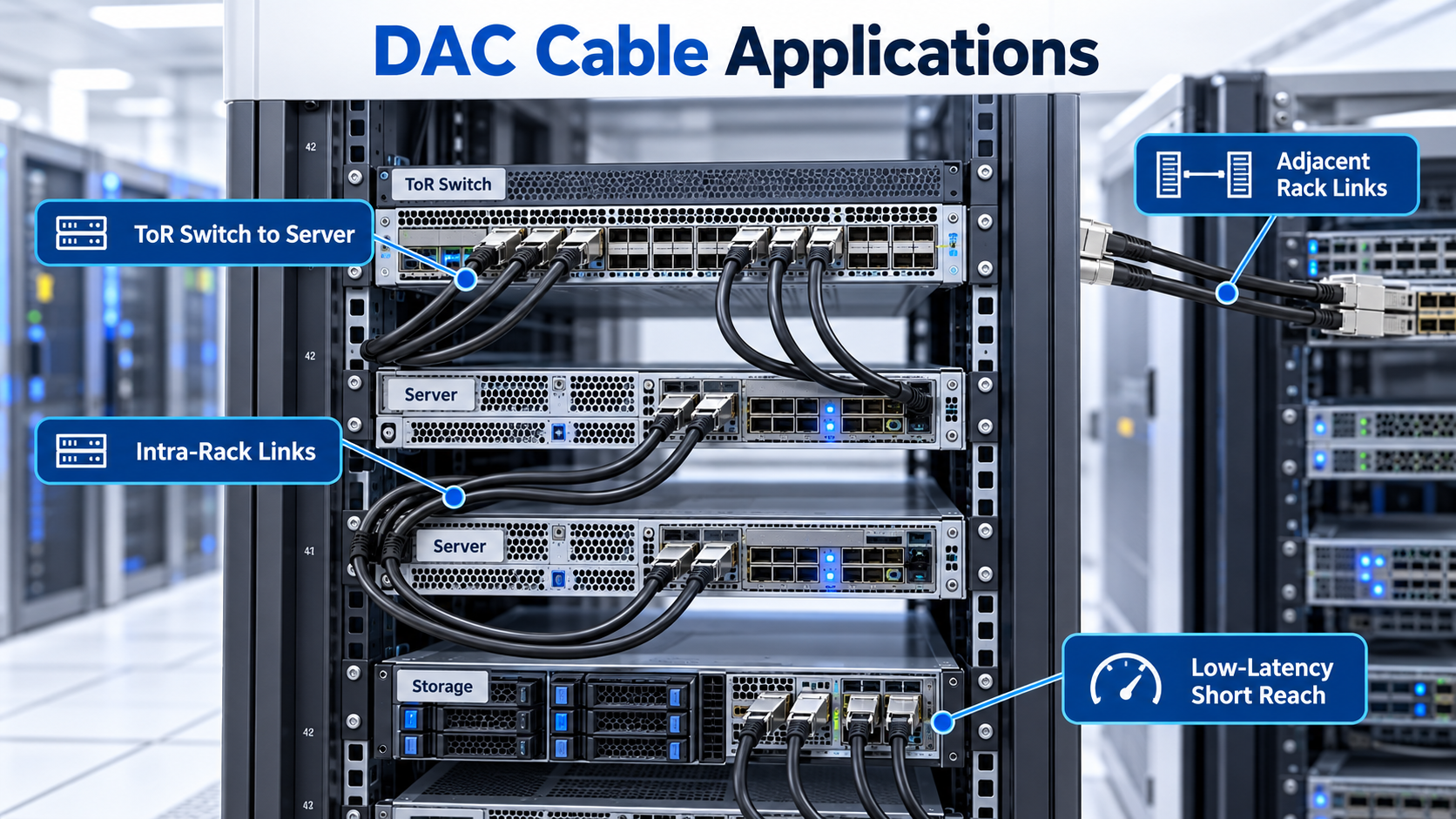
Server-to-ToR and Intra-Rack Links
This is the home turf of the passive DAC cable. Servers sit within a few meters of the top-of-rack switch, so a short copper link is cheaper, cooler, and lower-latency than any optical alternative.
AI/HPC and GPU Cluster Fabrics
GPU clusters care about latency and power density more than anything. Passive copper is the natural fit for adjacent nodes, but 800G links push copper to its limit, and cluster builders often mix DAC with active copper and optics depending on rack position.
Switch-to-Switch and Leaf-Spine Links
Within a single rack, leaf-to-spine links are usually short enough for passive copper. The moment you span rows, those runs exceed what a DAC cable can handle, and you move to AOC or optics.
Lab, Staging, and Rapid Provisioning
Because a DAC cable is plug-and-play and needs no fiber termination or cleaning, it’s ideal for labs and staging racks where equipment gets moved constantly. Nothing beats copper for quick, disposable links.
DAC Cable Compatibility and Vendor Ecosystem
The fear that stops many buyers is compatibility. Let’s address it directly.
Vendor Coding and Third-Party Compatibility
Here’s the catch. Most switches read the EEPROM inside the cable to confirm it’s an approved part. Some vendors require their own coding before a port will link up. A standards-compliant third-party DAC cable with the correct coding works fine in Cisco, Arista, NVIDIA, or Juniper gear, but you should verify against the vendor’s compatibility list before committing to a large order.
How to Verify Compatibility Before You Buy
Test a small sample first. Check that the cable links at the target speed, that FEC settings match, and that the port doesn’t throw an unsupported-transceiver warning. A few minutes of testing saves you from a full rack of returned cables.
DAC Cable Troubleshooting Essentials
When a link fails, the cause is usually one of a few familiar problems.
Link Down or Intermittent Connectivity
A cable that worked yesterday and fails today is often a seating or coding issue. Reseat both ends, confirm the switch recognizes the part, and check that both ports are configured for the same speed.
FEC Mismatch and Pre-FEC BER Issues
Forward error correction must match on both ends. If one side expects FEC and the other doesn’t, the link may come up but drown in errors. Check the pre-FEC bit error rate; a link that’s erroring without FEC is a signal-integrity problem, not a configuration one.
FEC Configuration and Pre-FEC BER Issues
Forward error correction (FEC) requirements depend on the interface standard, link speed, and host implementation. Verify that both ends use compatible FEC settings and that the selected mode is supported by the cable and host interfaces.
If the link shows a high pre-FEC bit error rate (BER), investigate signal integrity, cable quality, connector seating, and host compatibility. If post-FEC errors or link instability persist, also review FEC configuration, link training status, and port diagnostics.
Connector Damage and Bend-Radius Violations
Copper is forgiving, but it’s not indestructible. Tight bends damage the twinax pairs and raise insertion loss. If a cable fails after being routed through a sharp corner, suspect a bend-radius violation and replace it, then fix the routing.
Frequently Asked Questions
What is a DAC cable?
A DAC cable is a twinax copper assembly with transceiver-style connectors on both ends, used to connect switches, servers, and storage over short distances without separate optical modules.
What is the difference between DAC and AOC?
A DAC cable carries electrical signals over copper and is limited to short runs. An AOC, or active optical cable, converts to light and reaches much farther, up to about 100 meters, at higher cost and power.
What distance can a DAC cable support?
It depends on speed. Passive DAC cables typically reach 5 to 7 meters at 10G or 25G but only 1 to 2 meters at 800G. Active copper extends this to roughly 10 to 15 meters.
What is the difference between passive and active DAC?
A passive DAC cable has no electronics and offers the lowest cost and power. An active DAC cable adds signal-conditioning chips to extend reach, at a small cost and power penalty.
When should I use a DAC cable instead of fiber?
Use a DAC cable for intra-rack links under about 5 meters, cost-sensitive deployments, and latency-sensitive applications. Switch to fiber when runs exceed copper’s reach.
Are DAC cables compatible with any switch?
A standards-compliant DAC cable works with most MSA-compliant equipment, but some switches require vendor-specific coding. Always verify against the hardware compatibility list.
What speeds do DAC cables support?
DAC cables support everything from 10G through 800G, depending on form factor, from SFP+ and SFP28 up to QSFP-DD and OSFP.
Do DAC cables consume power?
Passive DAC cables draw essentially no power. Active DAC cables and AECs draw a small amount, roughly 1.5 to 2.5 watts per end.
What is an active electrical cable (AEC)?
An AEC is a refined active copper cable that uses advanced signal conditioning to reach farther than a typical active DAC while staying thinner and more flexible.
Is a DAC cable better than an optical transceiver for short links?
For short, intra-rack links, yes. A DAC cable is cheaper, cooler, and lower-latency than two optical transceivers plus fiber, which only become necessary at longer distances.
Post Views: 69